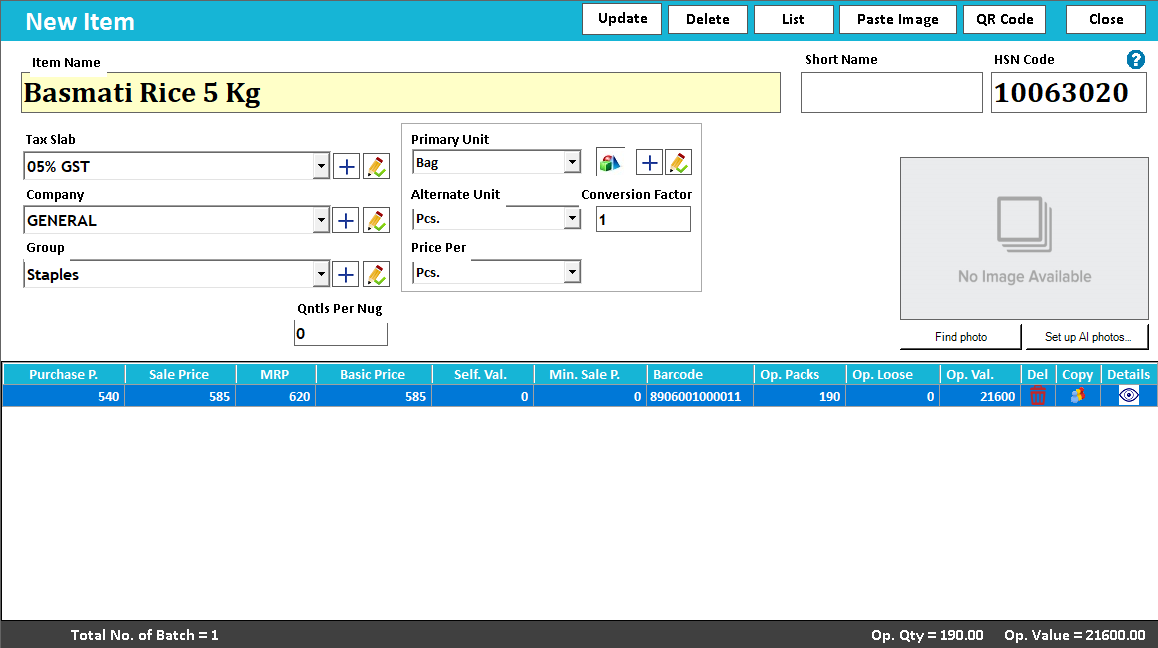
 View full size ↗
The everyday problem
Opening stock is the starting point for later movements, so a rushed count can make every subsequent report look suspicious. Agree the cut-off time, locations and units before entering quantities into the new setup.
A workable process
Count stock in a defined order and separate uncounted items from completed areas. Use consistent item identifiers and note batches or variants where they matter. If the shop remains open, record movements during the count so the final figures can be brought to the same cut-off.
A practical example
A storeroom may be counted in the morning while the sales floor is counted after several transfers. Adding those sheets without accounting for the transfers can count the same stock twice. A simple movement log helps the team explain the timing.
Before you finish
Review unusual quantities and missing items before import. Retain the approved count sheet and record who checked it, so later differences can be traced to either the opening position or subsequent transactions.
Try this check with your team
Count one representative area by the exact unit and variant used in the item master. Separate stock that belongs to another location or needs special handling. Keep a clear cut-off for goods received or sold between counting and opening entry.
What the result tells you
Reconcile the physical list with the entered opening quantities before daily billing starts. If one item has boxes on the count sheet and pieces in the software, resolve the conversion instead of assuming the written numbers should match directly.
See this workflow in Speed Plus.
Bring a sample transaction and your questions to a product demo.
Book a free demo ↗