 View full size ↗
Start with the supplier document
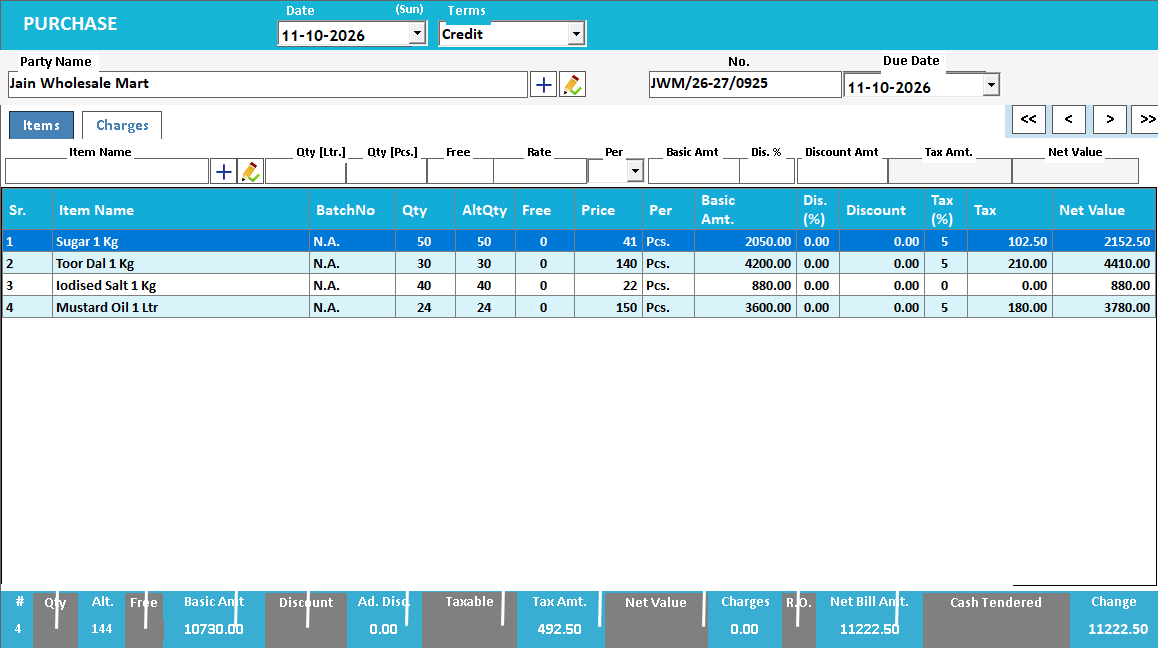
A purchase entry does more than record what you paid. It identifies the stock entering your business and gives your team a reference when a quantity, rate or supplier balance needs checking later. Begin with a readable copy of the supplier bill and confirm that it belongs to the correct company and supplier.
Before entering lines, check the document number and date against existing purchases. A bill received on both paper and WhatsApp should still be entered only once. Agree who owns the entry process so two members of staff do not prepare the same purchase independently.
Match the items before checking the total
Product names on a supplier bill may differ from the names in your item master. Identify the correct existing item before creating a new one. Check the unit as carefully as the name: a box and a piece can describe very different quantities even when the product is the same.
Where your business uses batches, expiry dates, sizes, colours or serial numbers, review those details at the line level. A matching invoice total does not establish that each quantity has been assigned to the correct stock record.
Use AI import as a starting point for review
Speed Plus tutorials show photo-based purchase entry through the connected Farata workflow. Use a clear, complete image of the bill and review the extracted item names, quantities and prices against the original. Printed and handwritten documents can require different amounts of correction.
Try one representative supplier bill during your demo. Ask the team to show how an unmatched item is handled, where corrections are made and what happens before the purchase becomes a saved business transaction. The useful comparison is the time to complete an accurate entry, including review.
Check the records after saving
After completing the purchase, look up a few of the purchased items and confirm that the stock movement matches the entry. Then review the supplier ledger and retain the bill reference so a colleague can trace the transaction.
For the first few entries after setup or migration, compare every line. Once your team understands the workflow, keep a consistent review process for unusual units, new suppliers and high-value items. A short check at entry time is easier than untangling several later sales.
Try this check with your team
Take one approved supplier bill and trace a single line through document, physical receipt, item mapping, purchase entry and stock report. Compare the supplier account effect too. Include a pack conversion or free quantity if that is normal in your trade.
What the result tells you
The workflow is complete when both stock and payable records can be explained from the same source. If only the invoice total matches, continue checking units and quantities; monetary agreement alone does not establish a correct stock receipt.
See this workflow in Speed Plus.
Bring a sample transaction and your questions to a product demo.
Book a free demo ↗