 View full size ↗
The everyday problem
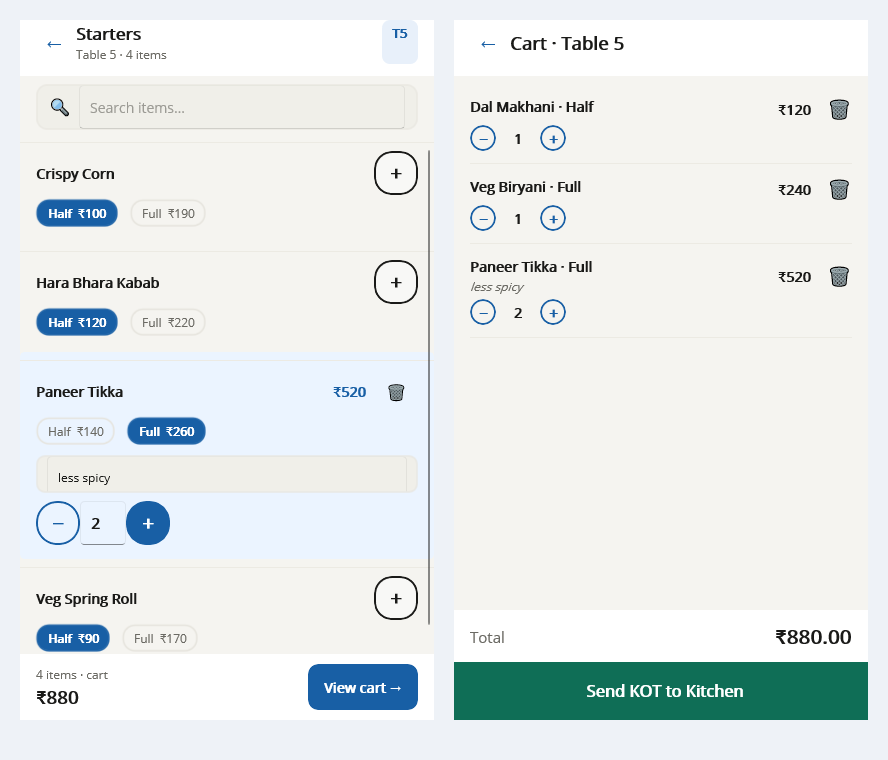
A menu choice should tell both the guest and the kitchen what is being ordered. Variants and add-ons can reduce repeated explanations when they are named consistently and supported by the configured ordering workflow.
A workable process
Choose a few real menu examples and demonstrate how each option is selected and shown on the kitchen output and bill. Check whether the combination is easy to read under service conditions. Keep similar options distinct without making labels unnecessarily long.
A practical example
A drink may have two sizes and a separately priced addition. Staff should be able to distinguish a larger size from an extra ingredient, and the kitchen should receive the intended instruction. Test the complete combination rather than each option only in isolation.
Before you finish
Review the final amount and output with the restaurant manager. Confirm which combinations your edition supports, and keep menu changes under one responsible person so the floor and kitchen use the same definitions.
Try this check with your team
Take one dish with two supported portion sizes and an extra that changes the order. Have the waiter select it, the kitchen read its output and the cashier review its bill. Ask each person what the customer will receive.
What the result tells you
The choice is clear only when all three interpretations agree. If the kitchen cannot distinguish the portion, improve the naming or supported output before adding more menu options; extra choices should not create ambiguous preparation instructions.
See this workflow in Speed Plus.
Bring a sample transaction and your questions to a product demo.
Book a free demo ↗