 View full size ↗
The everyday problem
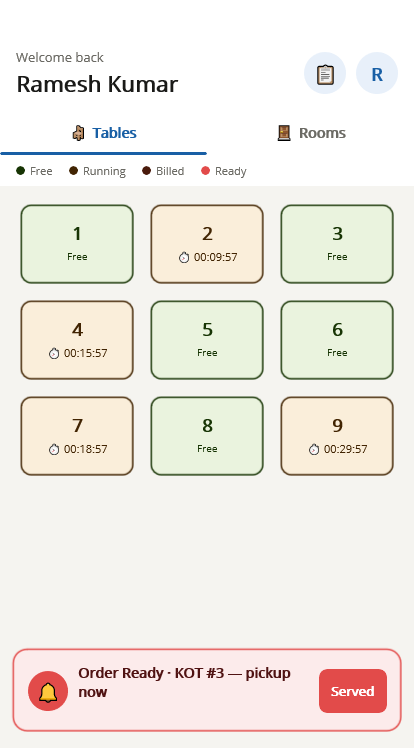
A table label should be unambiguous to the person taking the order, the kitchen team and the cashier. Duplicate or improvised names become especially confusing when a restaurant has multiple sections or changes its floor arrangement.
A workable process
Use a consistent section and table naming scheme during Tablio setup. Walk the floor with the configured view and compare every label with the physical location. Train staff on how occupied, available and other supported states are represented.
A practical example
A terrace table and an indoor table might both be called Table 4 in conversation. Including the section in the agreed identification helps staff confirm the right destination when taking an order or answering a kitchen query.
Before you finish
Recheck the floor view after rearranging tables. Demonstrate supported transfers and merges before service, and avoid changing table naming halfway through a busy shift without a clear staff handover.
Try this check with your team
Ask a new staff member to identify a table from its label alone. Test names across floors and sections, especially if both areas use numbers such as 1 or 2. Review how the reference appears on the kitchen output and bill.
What the result tells you
Names such as Ground-01 and Terrace-01 may be clearer than two indistinguishable Table 1 labels. Use a convention suited to your floor and verify it in every supported output before printing permanent table signs.
See this workflow in Speed Plus.
Bring a sample transaction and your questions to a product demo.
Book a free demo ↗