 View full size ↗
The everyday problem
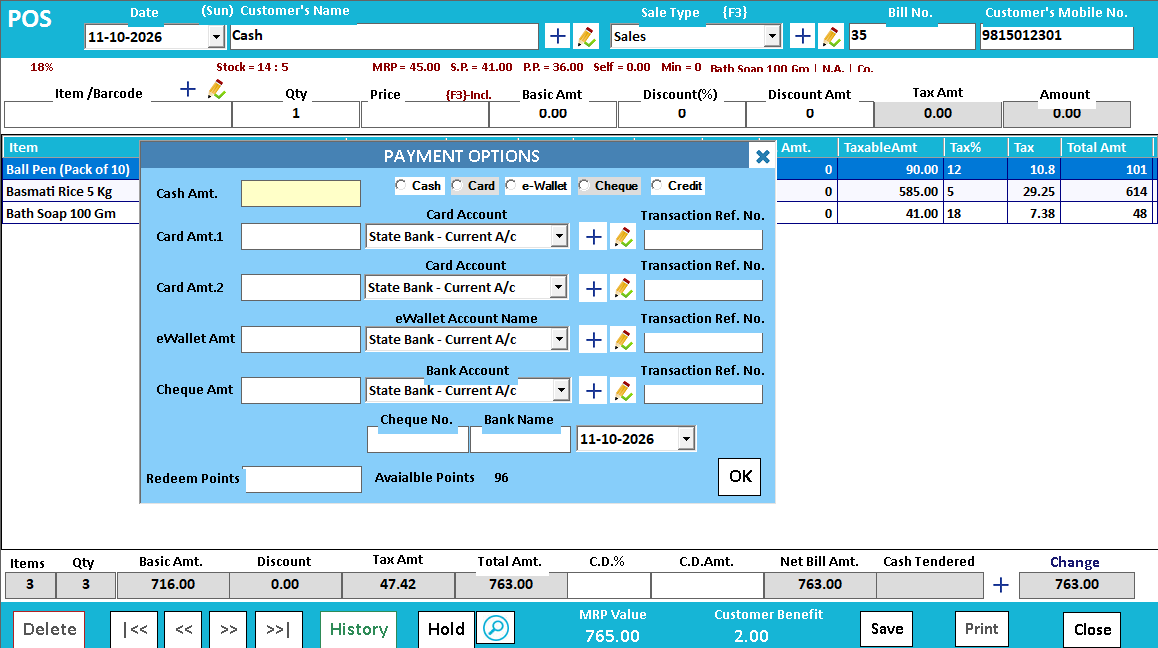
When a customer pays partly in cash and partly through another method, the sale total and the collection breakdown need to tell the same story. Practise the split-payment workflow offered in your configured POS before using it during a queue.
A workable process
Enter the payment portions against the correct methods and compare their sum with the amount due. Check any balance or change shown by the screen. For digital payments, follow the shop's actual confirmation process; entering an amount in the billing screen does not verify that money reached the account.
A practical example
On a sample bill of 850, the customer proposes 500 in cash and 350 through UPI. The cashier should be able to explain both portions from the record. If the customer changes the split before completion, update it rather than leaving the original allocation.
Before you finish
Review the receipt, payment-method totals and correction procedure. Confirm available payment combinations and account mapping during setup, especially when different branches collect into different accounts.
Try this check with your team
For a ₹1,200 example, record ₹500 cash and ₹700 UPI using the supported workflow. Inspect the saved bill, payment breakdown and closing cash record. Verify the digital receipt through the trusted confirmation process used by your business.
What the result tells you
The two amounts should explain one sale without inflating physical cash. If the total is correct but the methods are reversed, correct the allocation through the approved process rather than accepting a drawer discrepancy at closing.
See this workflow in Speed Plus.
Bring a sample transaction and your questions to a product demo.
Book a free demo ↗