 View full size ↗
The everyday problem
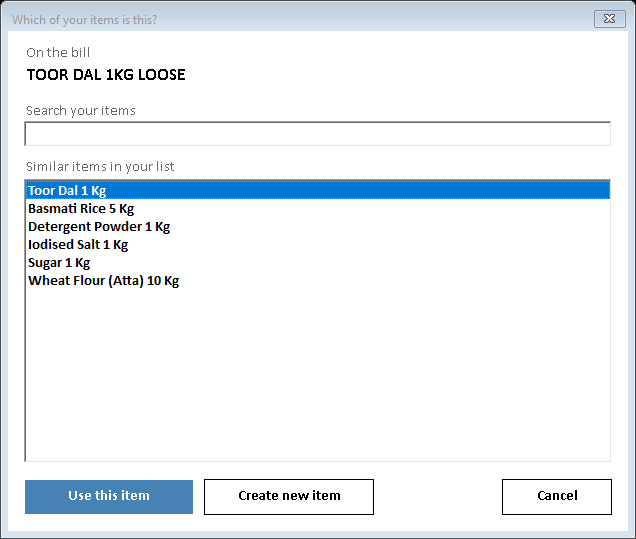
Suppliers often describe the same product differently from your internal item master. Creating a fresh record for every wording variation can split stock and sales history across duplicates that staff later struggle to reconcile.
A workable process
Compare product identity, pack size and distinguishing details before selecting or creating an item. Keep an approved convention for recurring abbreviations. Ask the demo team to show how matching and unmatched items are handled in the purchase-entry method you plan to use.
A practical example
One bill might say Almond Oil 100 while another spells out Almond Hair Oil 100 ml. They may refer to the same product, but a similar name could also refer to another pack. Confirm the physical item rather than merging solely because the names look alike.
Before you finish
Review proposed new items before saving a large import. Assign item-master changes to a responsible person so supplier wording does not gradually become a collection of inconsistent stock records.
Try this check with your team
Compare a supplier description with your item’s brand, pack, variant and unit. A short name such as Tea 500 should not be accepted solely because the first search result contains Tea. Check the physical specification or a previously verified mapping.
What the result tells you
Save or reuse mappings only through the supported workflow after verification. A wrong mapping reused on many imports can accumulate stock against the wrong product while every supplier bill appears to total correctly.
See this workflow in Speed Plus.
Bring a sample transaction and your questions to a product demo.
Book a free demo ↗