Keep each product’s details in one place.
Save item names, codes, units, prices and opening stock. Find the same product when buying, selling or checking stock.
Product identity and settings
Reused on transaction lines
Consistent item history
See the screens behind the workflow.
Real screens from the Speed Plus 9 manual. Open any image to inspect the details.
 View full size ↗
02Opening stock belongs to the item and batch+
 View full size ↗
Check both the product list and the stock opening.
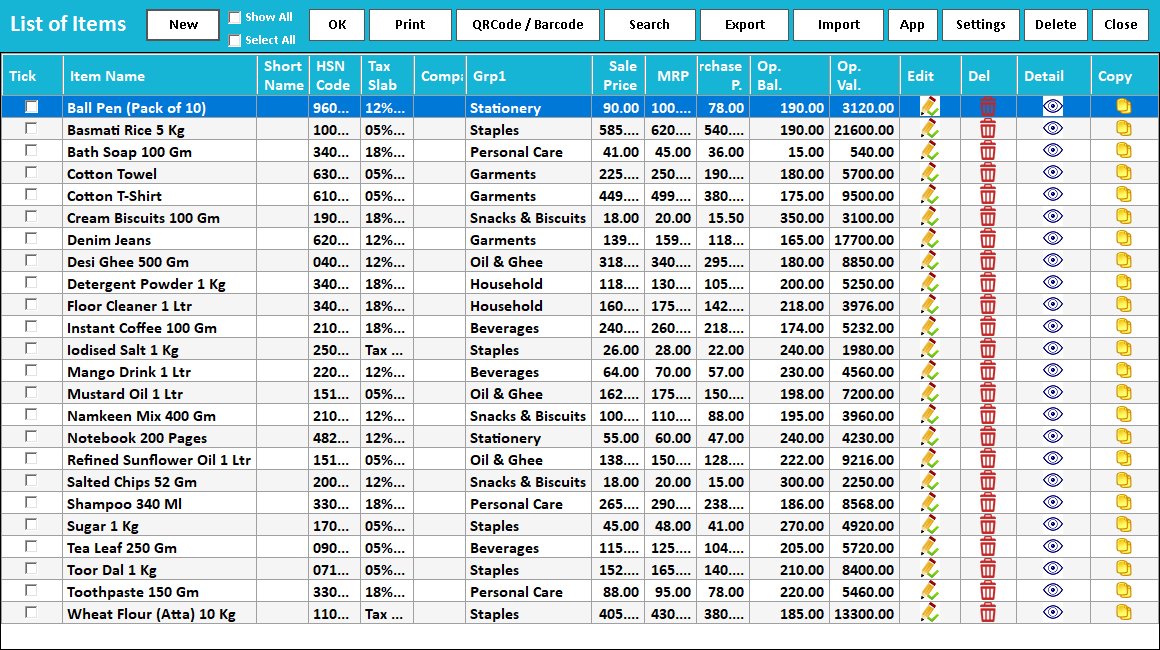
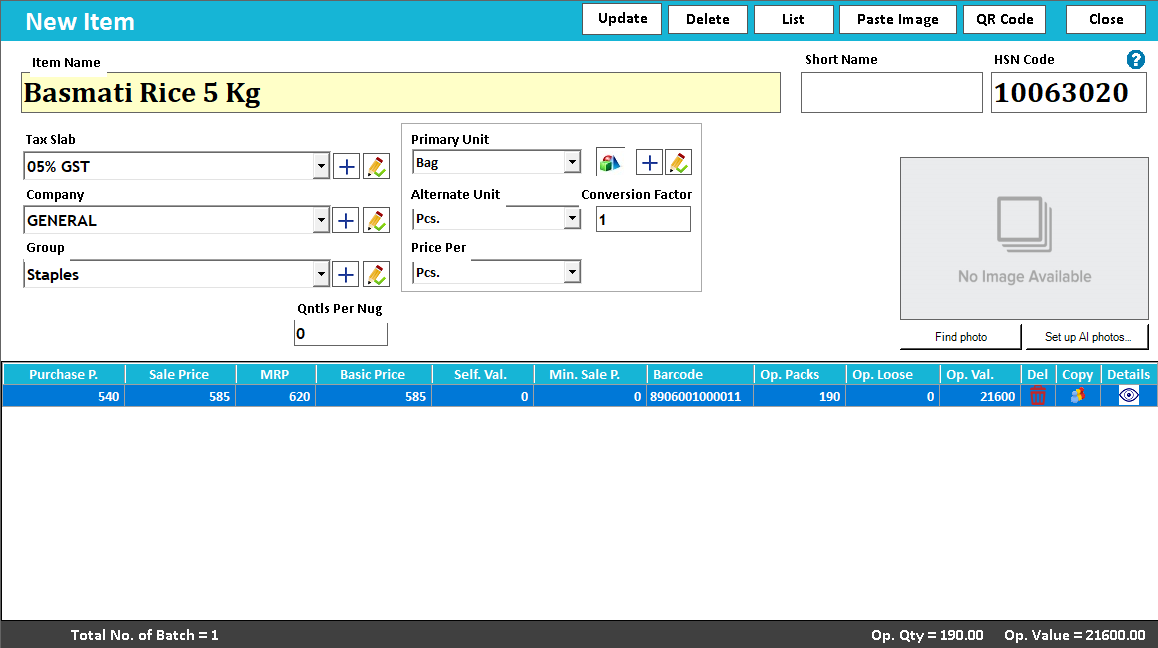
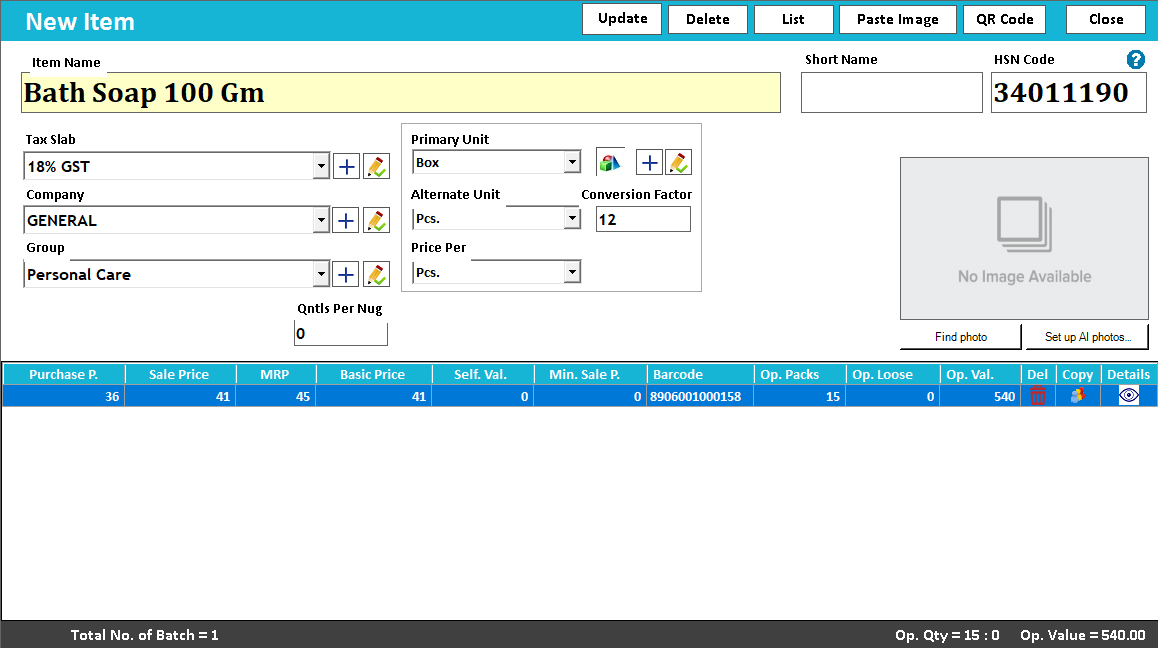
The List of Items brings sale price, MRP, purchase price and opening balance into the same view. In Item Master, opening packs, loose quantity and opening value belong to the relevant item or batch row. Prepare that starting position before relying on the first stock report.
The item master is the identity behind every stock movement.
An item record gives a product a consistent name, unit, price and other relevant attributes. Purchases and sales can then refer to the same product instead of creating a slightly different name each time. Clean item records make stock and sales reports much easier to trust.
Choose a recognisable name and short name, assign the appropriate group or brand and prepare the applicable unit, barcode and tax settings. Add batch, serial or variant detail only where your trade needs it. Check the record on a purchase and a sale before importing a large catalogue.
The manual distinguishes six item price fields: Sale Price, MRP, Basic Price, Purchase Price, Self-Value Price and Minimum Sale Price. Supplier basic rate and landed purchase cost serve different purposes. Review the selected invoice type and price basis before assuming which rate will appear on a bill.
How to use it.
Keep each product’s details in one place.
- 01
Create an item with a clear name and unit
- 02
Set its supported price, tax and barcode fields
- 03
Search for it in a sample purchase and sale
What this looks like in your business.
A store standardises item names for several pack sizes so that staff can find the correct product at the counter.
See the workflow in action.
Speed Plus 9.0 : How to Create Items / Products Master in ERP Software. DEMO www.solversolutions.in
SolverTeam tutorial for this topic. Screens and options can vary by installed version.
Open on YouTube ↗Good questions.
Clear answers.
Choose the workflow that fits your business and confirm its setup in a demonstration.
Should every supplier name become a separate item?
Not necessarily. Suppliers may describe the same product differently. Match the physical product, pack and specification to your own item record; create separate items only when the business needs to distinguish them.
Why distinguish basic price from purchase price?
Basic price is the supplier rate; the manual describes purchase price as landed cost including relevant freight or handling. Comparing sales against the wrong cost basis can distort the margin you think you earned.
What setup should I confirm?
Review duplicate names and codes before importing a large catalogue.
Run a busy billing counter
From the item on the shelf to the receipt in the customer’s hand.
- 01Item master and searchYou are here
- 02Barcode checkoutRead guide →
- 03Regular POSRead guide →
- 04Split paymentsRead guide →
- 05Custom bill formatsRead guide →
What else can help?
See it with a sample from your business.
Bring a sample bill or item list. We’ll show you the steps and answer your questions.