 View full size ↗
The everyday problem
Handwriting can make similar digits, abbreviations and unit marks hard to distinguish. AI extraction can prepare an entry, but the reviewer needs a deliberate way to resolve uncertain information before it becomes a business record.
A workable process
Read the source alongside the extracted lines. Pay attention to quantity, unit, decimal placement and item identity. When a line is unclear, ask the supplier or the person who received the goods instead of choosing whichever interpretation makes the total appear close.
A practical example
A handwritten 7 may resemble a 1, and a short item nickname may fit more than one product. The reviewer should match the goods actually received and preserve the correct supplier reference. A confident-looking screen value is not evidence that the handwriting was unambiguous.
Before you finish
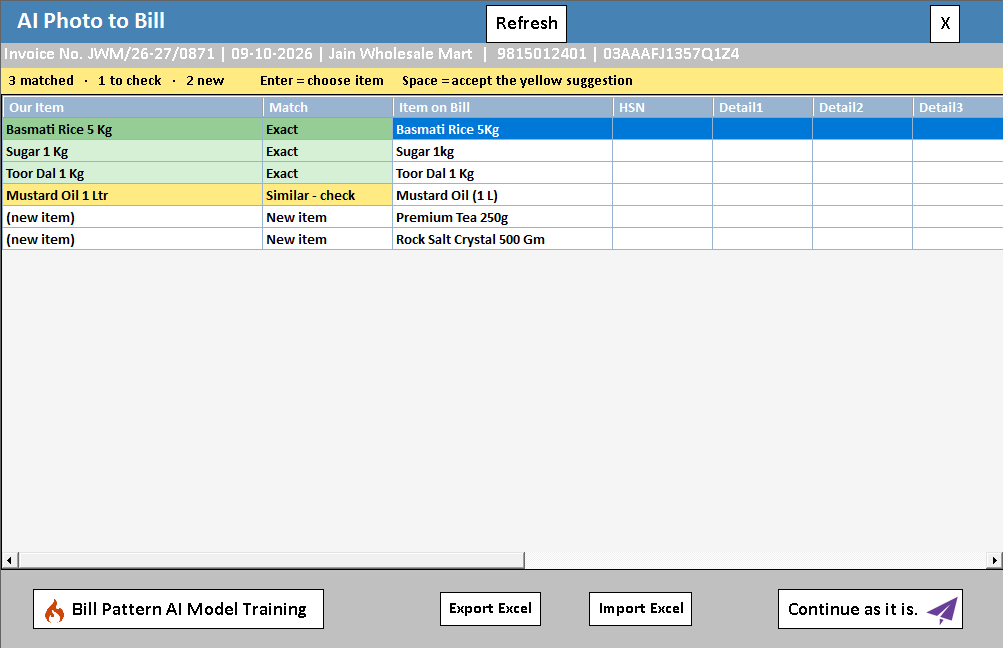
Use the demonstrated correction workflow and recheck the finished entry. Track recurring supplier-format problems so the next image can be captured or clarified more effectively.
Try this check with your team
Mark each uncertain field before accepting the draft: an ambiguous digit, an abbreviated item and an unclear unit. Resolve them using the original document, physical goods or supplier clarification. Keep the reviewed values connected to that source reference.
What the result tells you
A line should not be accepted just because the software allows saving. If its meaning remains uncertain, resolve it first. This is especially important when an apparently plausible quantity would update stock for the wrong pack.
See this workflow in Speed Plus.
Bring a sample transaction and your questions to a product demo.
Book a free demo ↗