Bring handwritten bills into a reviewable workflow.
Use supported image import to prepare entries from handwritten or printed supplier documents. Keep the original beside the extracted values while checking the result.
Handwritten source
Clarify ambiguous lines
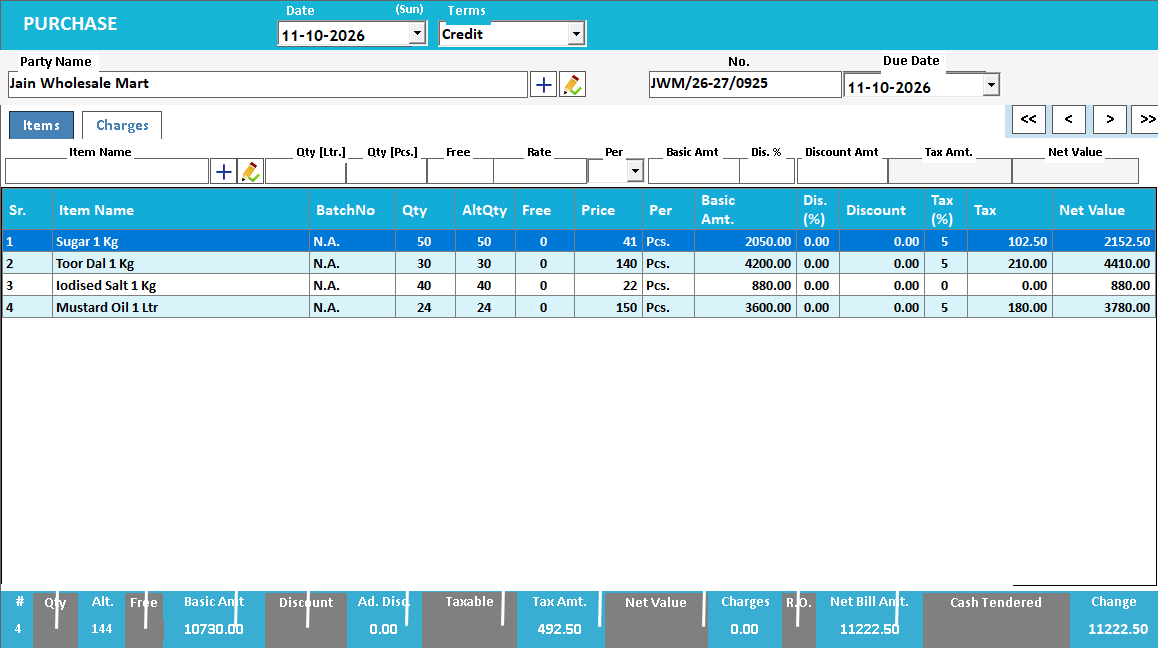
Reviewed item and amount entries
See the screens behind the workflow.
Real screens from the Speed Plus 9 manual. Open any image to inspect the details.
 View full size ↗
02Resolve an uncertain item before importing+
 View full size ↗
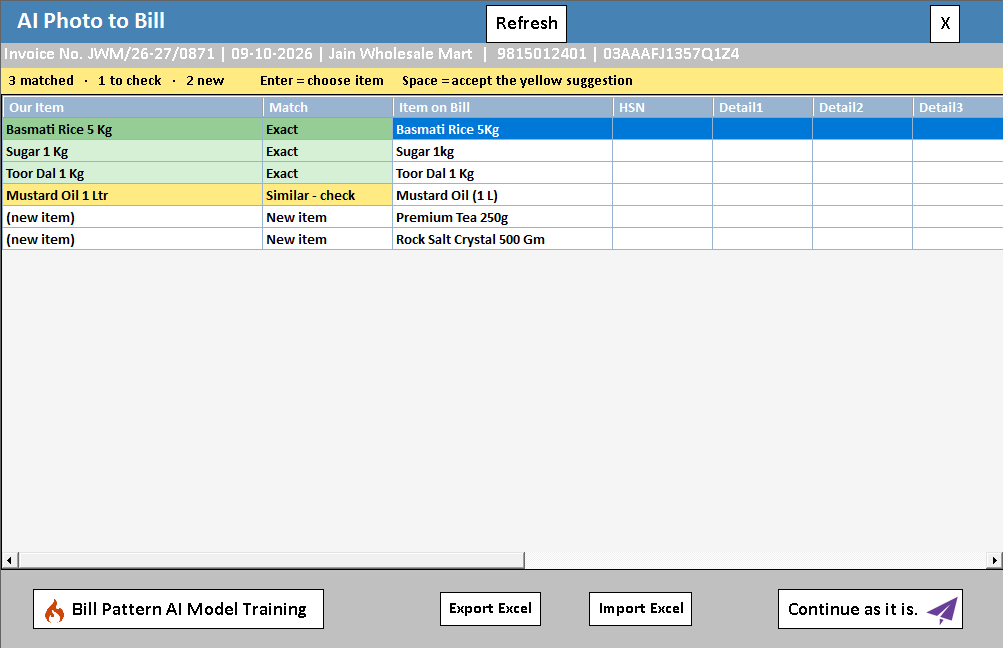
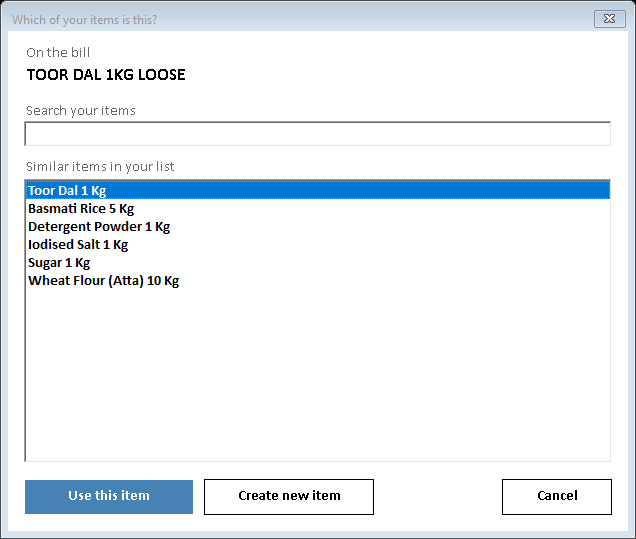
Resolve the meaning of a handwritten line.
The AI review screen is shared across supported image and PDF import paths. The screenshot illustrates matching, not guaranteed handwriting recognition. When an abbreviation or digit is unclear, use the source document and the actual goods to settle the meaning before choosing the local item.
Handwriting adds uncertainty to the same purchase-review process.
Handwritten bills and mixed printed documents often contain abbreviated names, overwritten quantities or unclear decimal points. The import workflow helps turn that document into proposed entries, but recognition confidence is not a substitute for understanding what the supplier delivered.
Use a straight, well-lit image that includes the complete page. Compare uncertain text with the physical goods or supplier explanation, then select the correct item and unit. A handwritten 1 can resemble 7; a missing decimal can change the value substantially. Resolve that uncertainty before accepting the entry.
How to use it.
Bring handwritten bills into a reviewable workflow.
- 01
Photograph the page without shadows or cropped edges
- 02
Review recognised names, numbers and totals
- 03
Correct uncertain rows and map them to your item list
What this looks like in your business.
A small supplier writes quantities by hand. One unclear digit needs checking before the purchase is recorded.
See the workflow in action.
Now Import All Handwritten or Printed Bills / Challans / Orders to Speed Plus 9 | solverSolution.in
SolverTeam tutorial for this topic. Screens and options can vary by installed version.
Open on YouTube ↗Good questions.
Clear answers.
Choose the workflow that fits your business and confirm its setup in a demonstration.
Is the handwritten-bill tutorial only about purchase invoices?
The related tutorial also discusses printed bills, challans and orders. The destination document and supported import options matter, so confirm the exact source and target workflow you need rather than treating every document as a purchase invoice.
What setup should I confirm?
Handwriting recognition varies. Do not treat an extracted value as verified simply because a row was created.
What else can help?
See it with a sample from your business.
Bring a sample bill or item list. We’ll show you the steps and answer your questions.