Move from a received bill to purchase review.
Use the configured WhatsApp bill-import workflow to bring supplier document information closer to purchase entry. Check the sender, document and resulting rows before saving.
Received bill document
Identify and review
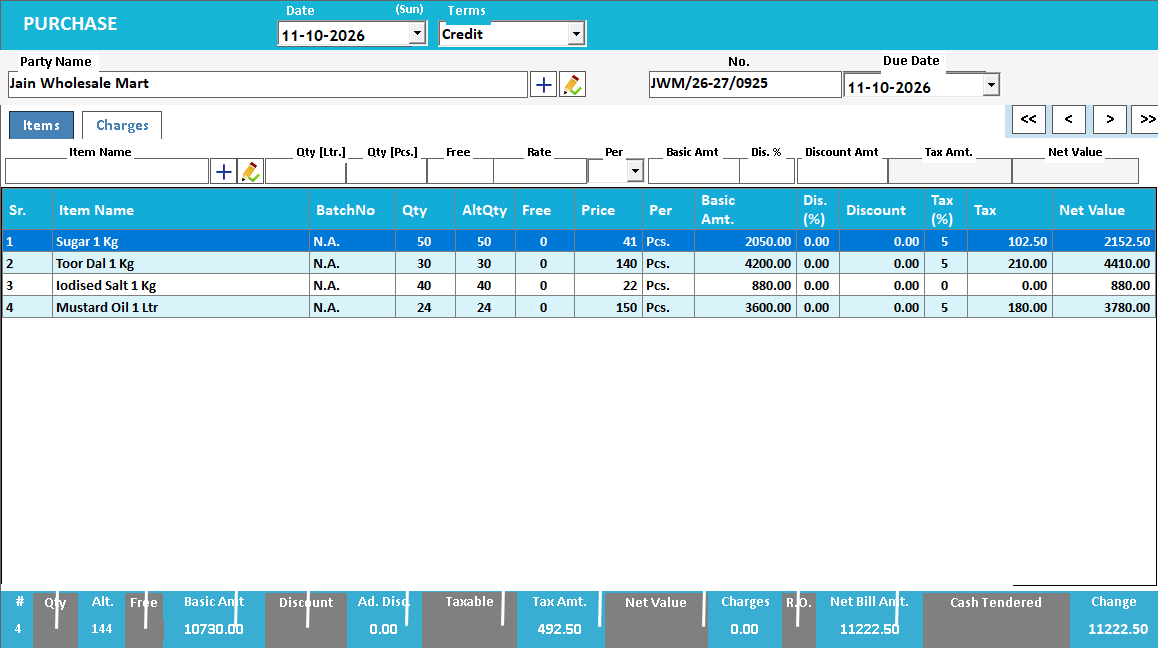
Accepted purchase record
Receiving a document and posting it are separate steps.
A bill received through WhatsApp is convenient to access, but it still needs a supplier identity, an invoice reference and a reviewed destination entry. The communication channel changes how the document arrives; it does not guarantee the contents are correct or new.
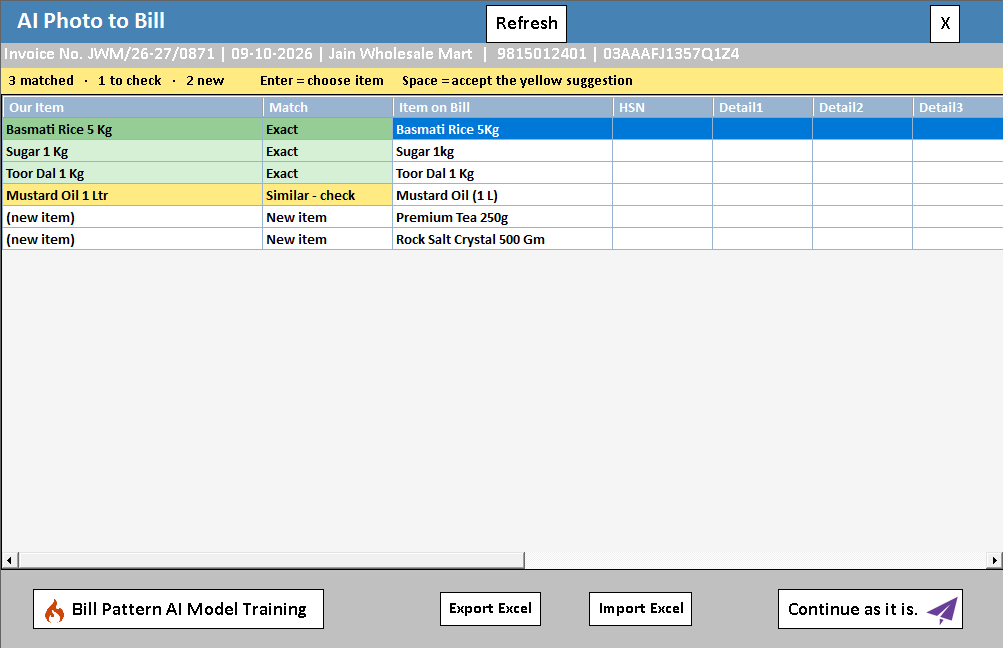
Use the configured document-receipt workflow to obtain the bill, check all pages and pass it into the supported review process. Verify the supplier, date and whether the same bill was already entered from another source. Match the item names and quantities before saving the purchase.
How to use it.
Move from a received bill to purchase review.
- 01
Identify the correct supplier bill in the supported workflow
- 02
Review the imported document and recognised lines
- 03
Match items and complete the checked purchase
What this looks like in your business.
A distributor sends a bill image to the business. Staff use it as the source for purchase review rather than repeatedly retyping from the chat.
Good questions.
Clear answers.
Choose the workflow that fits your business and confirm its setup in a demonstration.
What if a supplier sends the same bill twice?
Use the supplier and invoice reference to check existing entries. A second message may be a reminder or corrected document; compare it with the existing record before deciding whether an amendment is needed.
What setup should I confirm?
Requires the supported WhatsApp integration and import setup. It does not mean every chat attachment imports automatically.
What else can help?
See it with a sample from your business.
Bring a sample bill or item list. We’ll show you the steps and answer your questions.