Your whole business,
on one screen.
Speed Plus 9 makes the GST bill, moves the stock, posts the accounts and tells you what needs attention today. Add your phone, your branches and your own online store when you are ready.
- GST, e-Invoice and e-Way Bill
- Retail, wholesale, restaurant and hotel
- Bills in your own language

Used every day by
Everything a bill touches is already done.
You save the bill once. Stock, the party's balance, GST and your reports change in the same second.
A GST bill in a few keys
Pick the party, type or scan the item, press Save. Rates, tax, round-off, print, PDF and WhatsApp follow your settings.
Billing and GSTStock that matches the shelf
Boxes and pieces, batches and expiry, sizes and colours, serial numbers. Verify the shelf in parts and see what to buy.
Stock and itemsAccounts that keep themselves
Every bill posts to the ledgers. Receipts and payments need no debit and credit. Day Book, Outstanding, Trial Balance, Profit & Loss and Balance Sheet are ready.
Accounts and bankingA supplier bill photo becomes a purchase entry
Photo or PDF in, purchase entry out. You check the lines and save.
AI Photo to BillKnow what needs you today
The Attention card and Insights reports point at the work, so you do not hunt for it.
Owner's deskThe real screens, not drawings.
Every picture on this website is a capture of Speed Plus 9 running on a demo company. Click any screen to see it full size.
Start the day on one screen
Today's sale, money to receive and to pay, the week's graph and an Attention card that lists what needs you: parties over their credit days, new web orders, low stock.
See the owner's deskA GST bill in a few keys
Pick the party, type or scan the item, press Save. Wholesale or retail rate, tax inside or outside the price, round-off, print, PDF and WhatsApp follow from your settings.
See billingBuilt for a queue
Scan and the line is added. Hold a bill and recall it, take cash, card and UPI on the same bill, and print a thermal receipt with the GST summary.
See the POSStock you can trust
Opening, purchase, sale and closing for every item, in boxes and pieces. Verify the shelf in parts and post the difference with one entry.
See stockReturns from the same bills
GSTR-1, B2C Small, GSTR-3B with an Excel button and a GST Summary. e-Invoice and e-Way Bill are made from the bill screen.
Read the GST guidePoints that bring them back
Choose the Retail or Restaurant preset and save. Every bill with a mobile number earns points, and the customer gets a WhatsApp message with the balance.
See loyalty pointsStop typing supplier bills. Take a photo.
A distributor's bill arrives and someone sits down to type 40 lines. AI Photo to Bill reads the bill from a photo or a PDF: items, quantities, rates, discount, batch, expiry, MRP when it is printed, and serial numbers. It shows every line on a review screen before anything is created.
- Works from a phone photo, a scan or a PDF, printed or handwritten.
- Matches each line to your own items: exact, similar or new.
- Reads batch, expiry, MRP, tax and even serial numbers when the bill has them.
- You review every line before anything is saved.
Phone, branches, customers, kitchen. One set of books.
Each app does one job well and writes into the same Speed Plus 9 company. Start with the PC. Add the rest when you need them.
Speed Plus 9
Your company on your PC: items, parties, stock, accounts and GST.
- Billing
- Stock
- Accounts
- GST
- Reports
Limits that hold when you are not there.
One screen that tells you what needs you today, the reports behind each line, and the switches that keep discount, cost and credit in your hands.
- Today and Who To Call Today: the day's sale, collections and the parties to follow up.
- What To Buy: items to reorder, worked out from your sales and lead time.
- Bill Changes and Margin Leak: every edited or deleted bill, and sales made below your margin.
- Discount limit and approver: above the limit, the bill needs a manager's password.
One software. Settings for your trade.
A garment shop needs sizes and colours. A chemist needs batch and expiry. A mobile shop needs IMEI. Switch on what your trade uses and hide the rest.
Garments & footwear
Every size and colour, on one bill line.
- Size and colour
- Barcode labels
- POS
Pharma & medical
Batch, expiry and schedule items without a second register.
- Batch and expiry
- Strips and tablets
- Stock & Sales statement
Spare parts & automobile
Find the part by number, model or rack in one search.
- Part number search
- Rack and model
- Multiple rates
Electronics & mobile
Every IMEI and serial number, from purchase to sale.
- IMEI and serial
- EMI sales
- Warranty lookup
Kirana & supermarket
A fast counter, a full shelf and customers who return.
- Barcode POS
- Weighing scale
- Scan & Go
Wholesale & distribution
Orders in, bills out, collections followed up.
- Web Order
- Speed Connect
- DSR party wise
Mandi & commission agents
J Form, commission and party accounts in one entry.
- J Form
- Commission
- Party ledgers
Restaurants & cafes
Tables, KOT and settlement on one touch screen.
- Touch KOT
- Tablio waiter app
- Kitchen Display
Hotels
From reservation to the checkout bill.
- Check-in
- Room service
- Night audit
63 additions this year, and counting.
Speed Plus 9 is updated through the year. Check for Updates brings the new version to your PC and shows what changed.
AI Photo to Bill: how it works
A distributor's bill arrives and someone sits down to type 40 lines. AI Photo to Bill reads the bill from a photo or a PDF: items, quantities, rates, discount, batch…
Smart toolsNew in 2026Serial numbers from the bill
Mobile phones, TVs, inverters and batteries come with a serial number or IMEI for every piece. Typing 30 of them is slow and one wrong digit causes a warranty fight…
Smart toolsNew in 2026Today
Today is the first entry in the Insights list and opens by default. The headline reads 3 things need you today. or Nothing needs you today.
Owner's deskNew in 2026Order Tracker
A customer phones and asks, "Where is my order?" Order Tracker (earlier called "Pending Orders") answers for every open Sale Order.
Owner's deskNew in 2026Scan & Go at the head office
A shop with no branches, such as a single store that sells through the Web Store, can now offer Scan & Go at its own counter.
Scan & GoNew in 2026The counter's steps in the Speed Plus 9 POS
From version 261030 the Speed Plus 9 POS screen on the shop PC bills Scan & Go carts too. Open Entries → Point of Sale (POS) (Chapter 13).
Scan & GoNew in 2026The Web Store's own switch
The Web Store no longer leans on Web Order. Two things switch it on, and both are its own.
Web StoreNew in 2026Prices on the website
The website shows the price your customer will pay at the counter. Two server changes in October 2026 make this hold. Nothing needs updating on your PC.
Web StoreNew in 2026Prices inclusive of tax
Many customers think in tax-inclusive prices. Tick Prices are inclusive of tax in the Prices and customers card and press Save & Sync to Server.
Web OrderNew in 2026Convert to Sale Order, Sale, Sale Challan or POS
An order can become any of four vouchers. Pick the one that fits how you work. All four take each line with the exact item and batch the customer chose.
Web OrderNew in 2026Credit bills, new parties and Outstanding
A credit bill is a sale where the customer pays later. Speed Plus 9 debits the party's account. Debit (Dr) here means the party owes you.
Web POSNew in 2026Prices That Include Tax: the Incl. Price Box
Some shops bill on a tax-inclusive sale type. The shelf price already has GST in it, but the Price box on POS holds the rate before tax.
POSNew in 2026Printing the POS Bill
The Printing card under General Settings → POS print and barcode decides what happens after Save:
POSNew in 2026Invoice Studio: design your own bill, with a page border
Help → Design New Format (Studio) opens Invoice Studio. You tick and type on the left; the bill on the right changes as you go. No designer and no code.
Printing & Invoice Studio346 short videos, one for almost every job.
Most are one to three minutes: one question, shown on the real screen. In Hindi and English, from our YouTube channel.
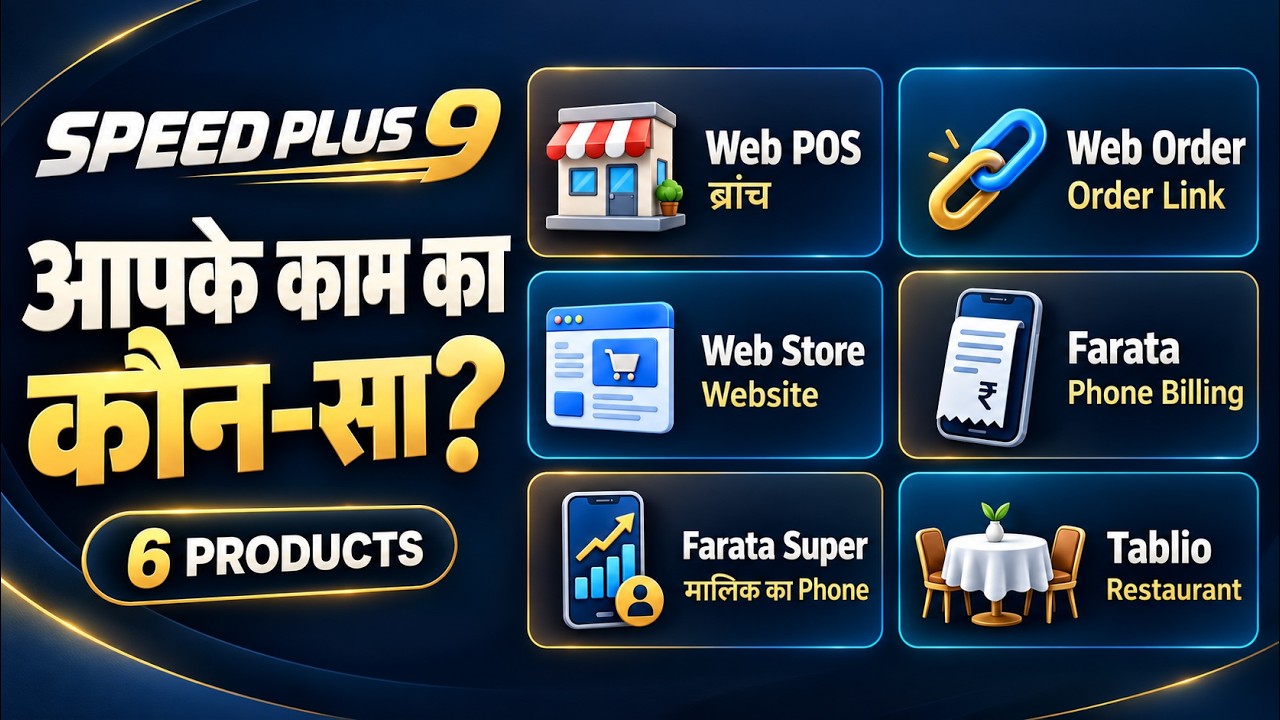
Speed Plus 9: Which Product Is Right for Your Business? | 6 Products Explained
The same shop, a different working day.
| The job | Register or old software | With Speed Plus 9 |
|---|---|---|
| Making a bill | Written by hand or typed again every time, tax worked out on a calculator. | Pick the party, scan the item, press Save. Tax, round-off and totals are done for you. |
| Supplier bills | Typed line by line in the evening. | Take a photo or drop the PDF. The AI fills the purchase entry and you check it. |
| Stock | Counted when something runs out. | Goes down with every bill. What To Buy lists what to order and how much. |
| Udhaar | A diary that only one person understands. | Outstanding by party and by bill, and Who To Call Today for follow-up. |
| GST returns | Collected from files at the month end. | GSTR-1, GSTR-3B and the GST Summary come from the bills you already made. |
| Staff discounts | Trust, and a surprise at the end of the month. | A discount limit for each user, a manager password above it and a log of every changed bill. |
| When you are away | Phone calls to the shop. | Sale, cash and bill alerts on your phone with Farata Super, the Owner Dashboard or Telegram. |
| Your data | One pen drive, if someone remembers. | A daily copy on the PC, Auto Backup to a second drive and Email Backup. |
Owners who stopped typing.
“Purchase entry used to take us 2 hours every evening. Now we click a photo and it's done in 2 minutes. The AI accuracy is genuinely impressive. It even reads my supplier's handwriting.”
“The Telegram bot shows me every transaction, new bills, modifications and deletions, in real time from home. No more trusting blindly. Full control over my business.”
“For our mobile store, the QR scan for IMEI numbers saves us hours every day. What used to be 30 minutes of typing serial numbers now takes 30 seconds.”
The whole manual is here. Free to read.
39 guides with 277 real screenshots and 835 answered questions, written in plain English and checked against the software.
39 step-by-step guides
From installing the software to the night audit of a hotel. Quick Steps at the top, worked examples inside.
Open the guides137 features, one page each
What it does, where it is in the menu, an example with numbers and the questions people ask.
Browse the features58 articles for shop owners
Short, practical reads on billing, stock, purchase entry and choosing software.
Read the blogAsked every week. Answered here.
What is the price of Speed Plus 9.0?
Request a current quotation from Solver Solutions for your business. Specify how many users, counters and locations you need, and whether you want Farata or messaging integrations. Ask for the software price, GST and any setup or service charges to be shown separately.
Is the licence a one-time purchase or a subscription?
Request the licence terms for the edition you choose. Ask which software rights are included in the purchase and which connected apps, hosting, updates or messaging services have recurring charges. An itemised quotation makes the ongoing cost clear.
Is there a free demo or trial, and how long does it last?
You can book a free demonstration with your own sample workflow. Ask the team for the current trial download, evaluation period and available features before installing an evaluation copy.
What is included in single-user and multi-user plans?
Ask for the available plans and their limits on simultaneous users, billing counters and locations. Also confirm whether additional users can be added later and what that upgrade costs; this page does not publish a plan-by-plan comparison.
Are installation, training, updates and support included?
Agree the scope in your quotation: installation, initial training, data import, updates and support. Include the number of users, devices and locations, and confirm any recurring service or hosting charges.
Does Speed Plus 9.0 run on Windows, Android, Mac or iPhone?
Speed Plus 9 is the Windows desktop ERP. Farata provides connected Android app workflows, while Web POS and Web Order offer specific browser workflows. Share the devices and tasks you need so the team can propose the appropriate combination.
Can I do billing without an internet connection?
Ask the demo team to show billing with the internet disconnected for the edition you plan to buy. Desktop billing and connected features have different requirements: mobile synchronisation, online messaging and portal integrations should be checked separately. This page does not define an offline-feature matrix.
Can I use Speed Plus from multiple shops or through the cloud?
The product guide describes a cloud setup for multiple locations. Confirm the deployment, connection requirements, hosting charges and user limits for your shops or godowns. A Windows installation and a hosted setup should not be assumed to have identical requirements.
See your own work in Speed Plus 9.
Tell us your trade and how you bill today. We show you the same job on screen, answer your questions and help you decide.
- A demo on your kind of items and bills, online or at your shop.
- Help to bring your items and parties in from Excel, Busy or Tally.
- Installation and training for your staff.
Book a free demo
Leave your number. We call back, understand your work and show it on screen.