See how your business is doing today.
Check sales, balances, recent bills and work that needs attention. Open a report when you need the details.
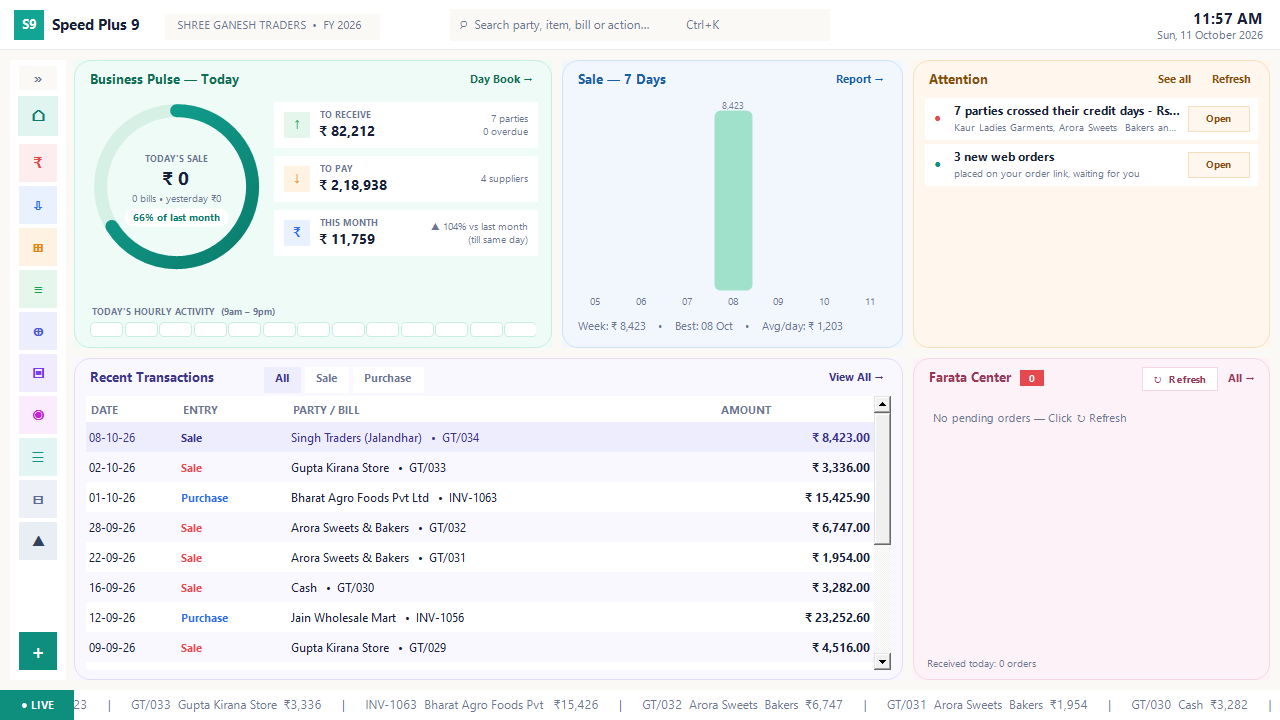
Check the company, financial year and Business Pulse
Review seven-day sales and recent transactions
Open an Attention item and inspect the underlying report
See the screens behind the workflow.
Real screens from the Speed Plus 9 manual. Open any image to inspect the details.
 View full size ↗
Where this fits in your working day.
The Speed Plus 9 manual describes this workflow in section 35.1. The Modern UI dashboard brings today’s business position, recent sales and work needing attention onto one starting screen.
Start the day with the whole business in view.
A dashboard is a starting point for decisions. Business Pulse shows the day’s position, Sale — 7 Days adds recent context, and Recent Transactions lets you recognise the activity behind the totals. First check the company and financial year so you know which business you are reading.
Attention turns a summary into a next action: inspect overdue parties or incoming orders through the relevant Open button. Farata Center shows connected documents. Refresh when you need an updated view and use the underlying report to investigate a number.
How to use it.
See how your business is doing today.
- 01
Check the company, financial year and Business Pulse
- 02
Review seven-day sales and recent transactions
- 03
Open an Attention item and inspect the underlying report
What this looks like in your business.
A wholesaler sees new web orders alongside customers whose credit days have passed. They can organise order processing and collection calls from the same starting screen without treating either task as completed.
Good questions.
Clear answers.
Choose the workflow that fits your business and confirm its setup in a demonstration.
Does the dashboard replace detailed reports?
No. It helps you choose where to look. Open the relevant report to inspect transactions, dates and party or item details.
What setup should I confirm?
The dashboard depends on recorded entries and the chosen dashboard style. An empty card can mean there is no matching activity; it does not prove every entry has been posted.
What else can help?
DSR Party Wise Daily
Review the day's billed parties in one report.
Read the guide →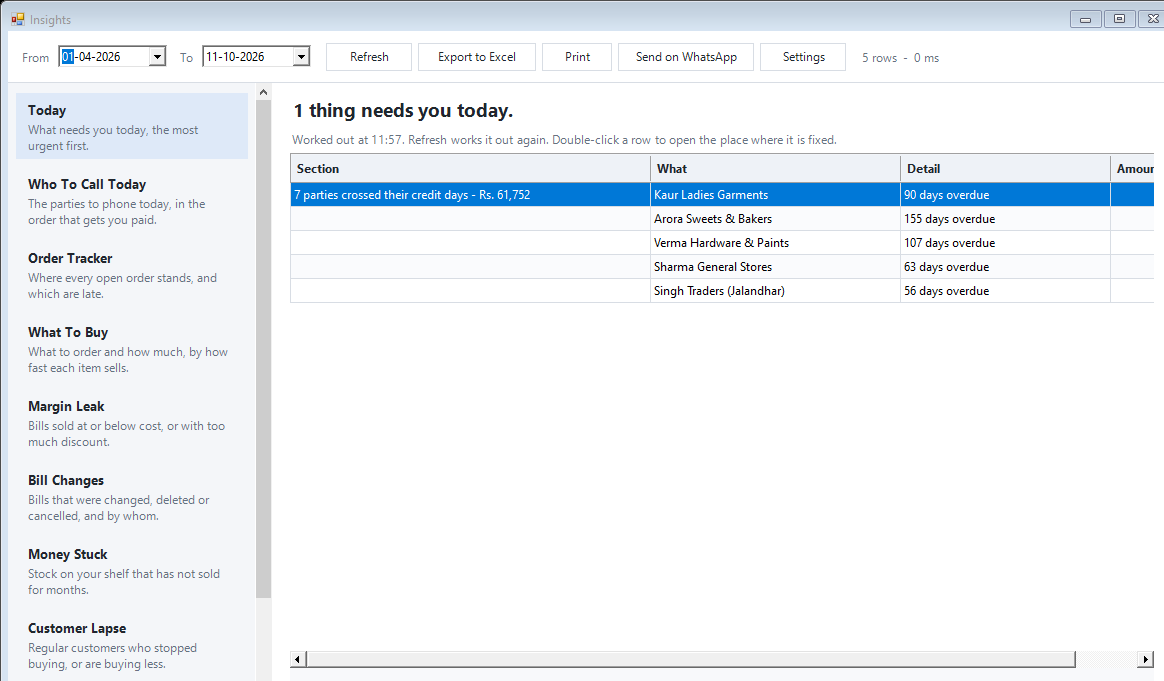
Today business insights
Know which issue deserves your attention first.
Read the guide →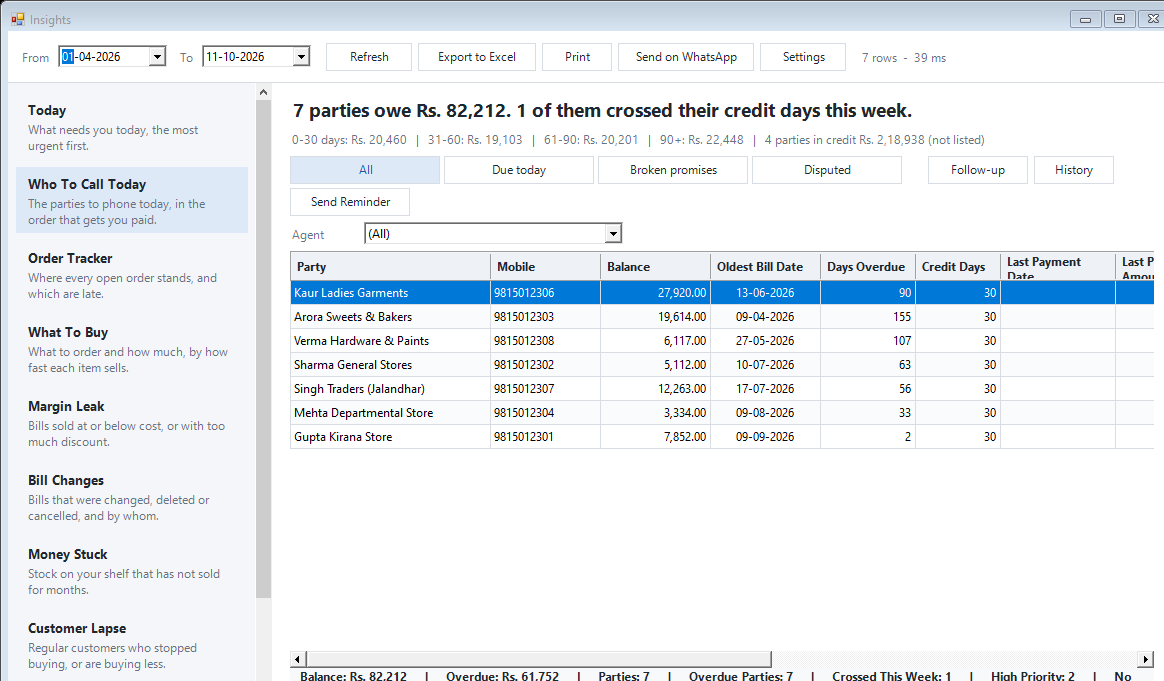
Collection follow-ups
Know whom to call for payment.
Read the guide →See it with a sample from your business.
Bring a sample bill or item list. We’ll show you the steps and answer your questions.