Make price and tax settings explicit.
Configure supported item rates, tax settings and included/excluded-price behaviour so staff understand the price shown on a bill.
Configured range rule
Evaluate transaction price
Applied tax treatment
See the screens behind the workflow.
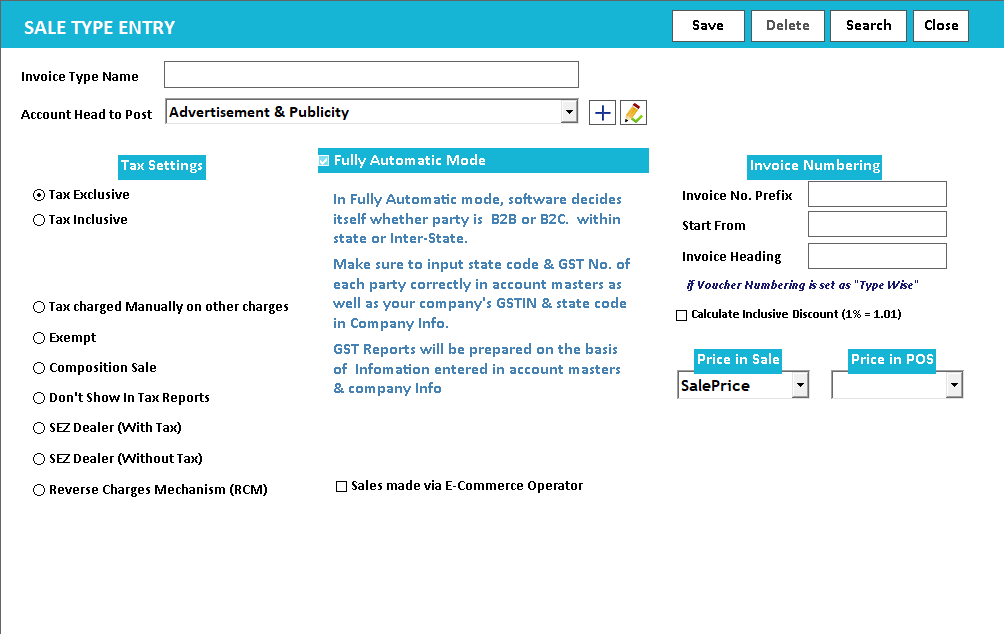
Real screens from the Speed Plus 9 manual. Open any image to inspect the details.
 View full size ↗
A price-based rule needs a clearly defined comparison value.
Some trade setups use a configured tax rule that depends on a product price range. The important concept is the rule boundary: which price is compared, where one range ends and how the selected tax treatment appears on the transaction.
Prepare the applicable item settings with your accounts adviser and test prices on both sides of a configured boundary. Include a discounted sale in the test so the team understands what the installed workflow compares. Review the resulting taxable value and tax components on the saved bill.
How to use it.
Make price and tax settings explicit.
- 01
Review item and invoice settings
- 02
Try a representative transaction for the intended price rule
- 03
Compare line values and totals before rollout
What this looks like in your business.
A store quotes a tax-inclusive selling price and checks that the printed invoice represents it as intended.
See the workflow in action.
Speed Plus 9.0: How to Apply GST% as per price range in garments business
SolverTeam tutorial for this topic. Screens and options can vary by installed version.
Open on YouTube ↗Good questions.
Clear answers.
Choose the workflow that fits your business and confirm its setup in a demonstration.
Why test a value exactly at the boundary?
It reveals whether the configured range includes that value and avoids a one-unit difference selecting an unintended rate. Testing below, at and above the boundary is more informative than testing only a typical middle value.
What setup should I confirm?
Tax rates and legal rules require current accountant confirmation. Verify any price-range rule for the intended product and date.
What else can help?
See it with a sample from your business.
Bring a sample bill or item list. We’ll show you the steps and answer your questions.