Set the company up for the way you trade.
Create a company with the right business identity, financial period and supported settings. These details become the foundation for transaction entry and printed documents.
Business and data setup
Review company details
Identifiable bills and reports
See the screens behind the workflow.
Real screens from the Speed Plus 9 manual. Open any image to inspect the details.
 View full size ↗
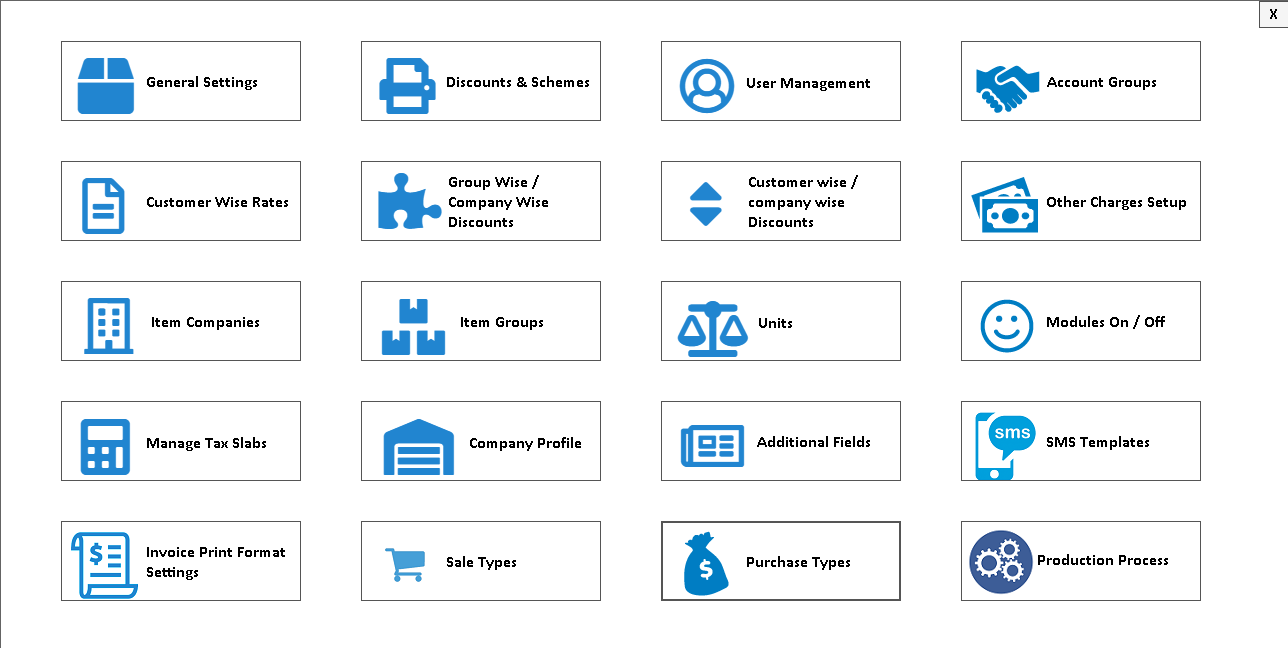
02Find the settings behind your daily work+
 View full size ↗
The company setup gives every later document its identity.
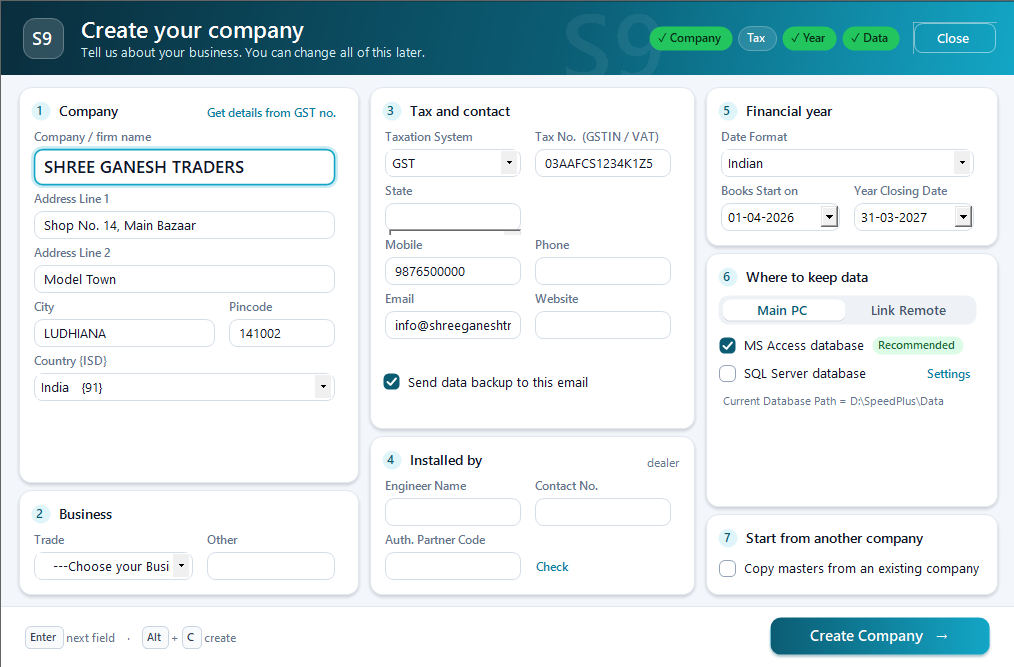
Company setup establishes the business record that staff will use for entries, documents and reports. Names, address and relevant registration details should be correct before live billing, because they can appear repeatedly on customer-facing output.
Choose the intended data location through the supported setup, enter the organisation details and review the financial-year context. Print a sample bill and inspect its company identity. Where several companies are used, make their selection and document formats easy for staff to distinguish.
How to use it.
Set the company up for the way you trade.
- 01
Prepare business details and the data location
- 02
Create the company and required users
- 03
Check a sample document before live entry
What this looks like in your business.
A new shop verifies its name, address and invoice identity on a sample bill before entering real transactions.
Prepare the business identity before the first bill.
Follow the decisions as well as the clicks.
- 01
Choose the working language
Select the interface language your team reads comfortably. The interface language changes how screens are presented while the business data remains the same.
- 02
Confirm where the company data lives
Identify the configured database location with your installer. Include that location in your backup plan; do not move or rename the working data folder by hand.
- 03
Enter the company details
Fill the organisation name, address, contact details and relevant tax details. These details feed printed documents, so preview a sample invoice before starting regular billing.
- 04
Prepare users and opening records
Create staff logins with the rights each role needs. Set up items, parties and opening balances before using sales and stock reports as the starting picture of your business.
Based on User Manual 2026 · 2.1–2.7. Screen names and availability can vary by installed version.
Good questions.
Clear answers.
Choose the workflow that fits your business and confirm its setup in a demonstration.
What should I prepare before company setup?
Keep the business identity, address, relevant registration information, financial-year start, preferred invoice details and implementation contact ready. Confirm the data location and backup plan with the person configuring the installation.
What setup should I confirm?
Agree the data location, backup ownership and opening balances during installation.
What else can help?
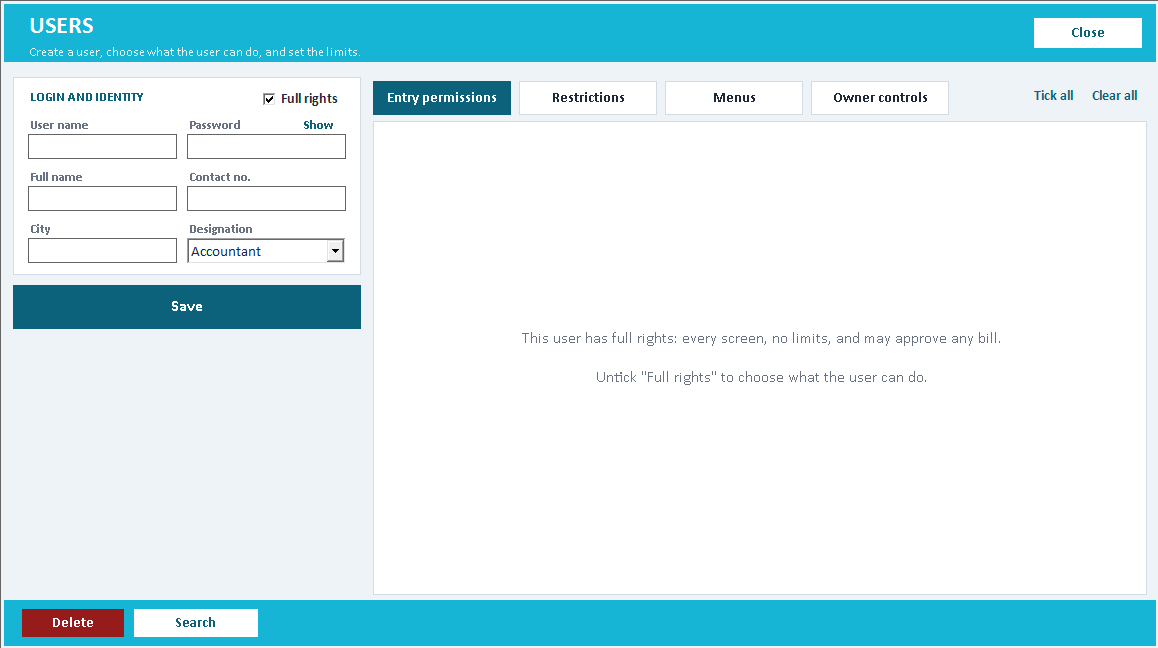
User permissions
Give staff the access their work needs.
Read the guide →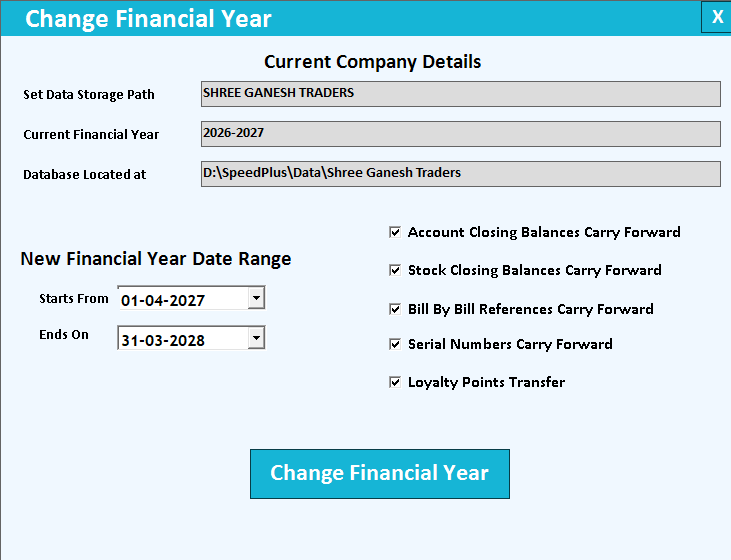
Financial year change
Start the next year with a checked opening position.
Read the guide →Email backup and restore
Make backup a routine, and restore a tested skill.
Read the guide →See it with a sample from your business.
Bring a sample bill or item list. We’ll show you the steps and answer your questions.