Know whom to call for payment.
Review overdue customers, record what they promised and plan the next call. Check the receipt before marking payment as received.
Review overdue days and the customer ledger
Record the call outcome, promise or next follow-up
Check the actual receipt before treating a promise as kept
See the screens behind the workflow.
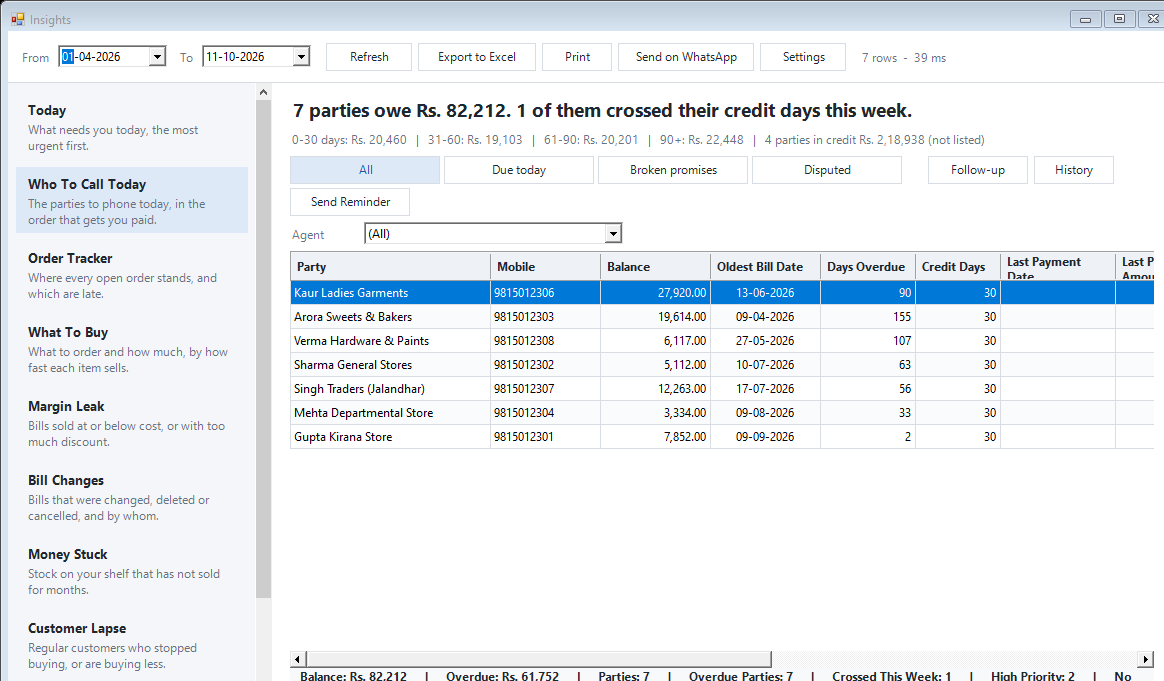
Real screens from the Speed Plus 9 manual. Open any image to inspect the details.
 View full size ↗
Where this fits in your working day.
The Speed Plus 9 manual describes this workflow in section 35.3. The current chapter documents the expanded Insights workflows for version 261007 and later; confirm the installed version and relevant permissions.
Turn overdue balances into organised conversations.
The largest balance is not always the first call to make. Overdue days, credit terms and the last payment help explain urgency. The report shows the party’s balance and ageing, with tabs for due follow-ups, broken promises and disputes in the documented newer workflow.
Select the customer, inspect their ledger and record what happened in the conversation. A promised date and amount create a useful next check. Keep disputed amounts separate from routine reminders and use History to understand earlier discussions before calling again.
How to use it.
Know whom to call for payment.
- 01
Review overdue days and the customer ledger
- 02
Record the call outcome, promise or next follow-up
- 03
Check the actual receipt before treating a promise as kept
What this looks like in your business.
A customer promises ₹5,000 on Friday. Record that commitment, then compare it with the receipt on Friday. A return or a verbal assurance does not establish that the promised money arrived.
Good questions.
Clear answers.
Choose the workflow that fits your business and confirm its setup in a demonstration.
Does the software automatically call customers?
No. The report helps the team decide whom to contact and record the outcome. Calls and reviewed reminder sending remain separate actions.
What setup should I confirm?
A reminder can open WhatsApp Web for the operator to send. A reminder-history entry is not proof that the customer received a message or that payment was collected.
What else can help?
DSR Party Wise Daily
Review the day's billed parties in one report.
Read the guide →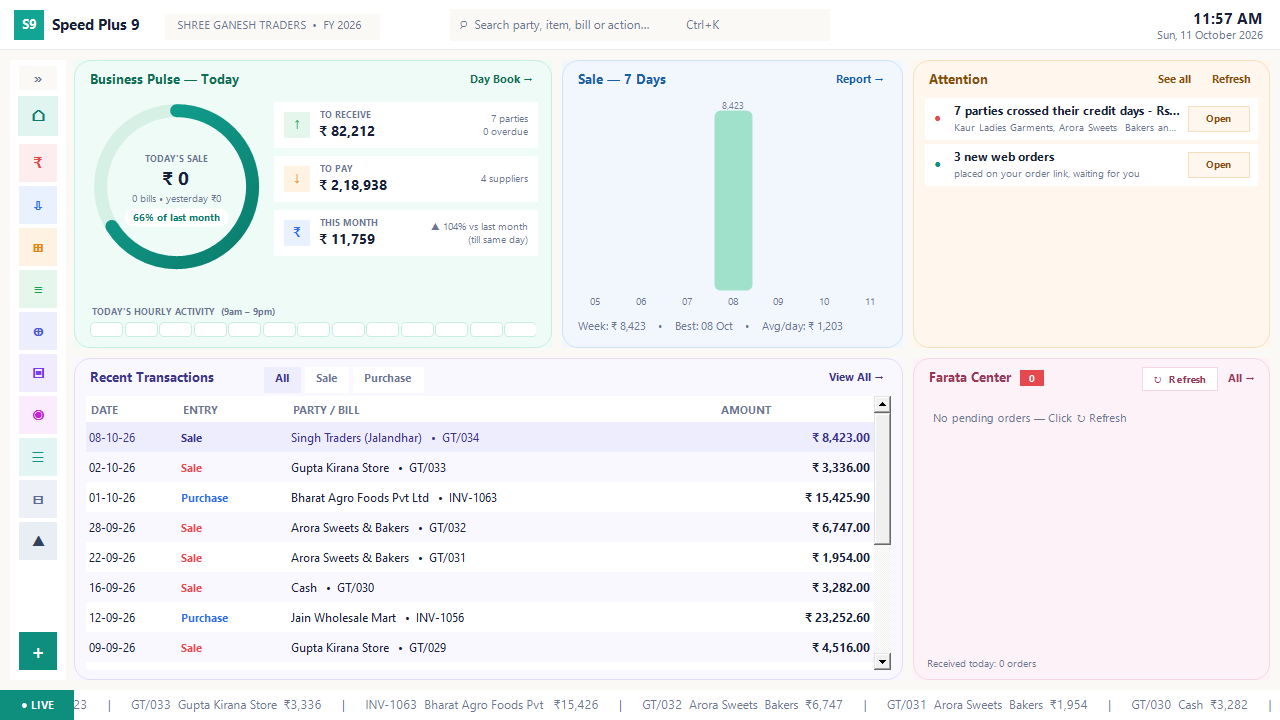
Business dashboard
See how your business is doing today.
Read the guide →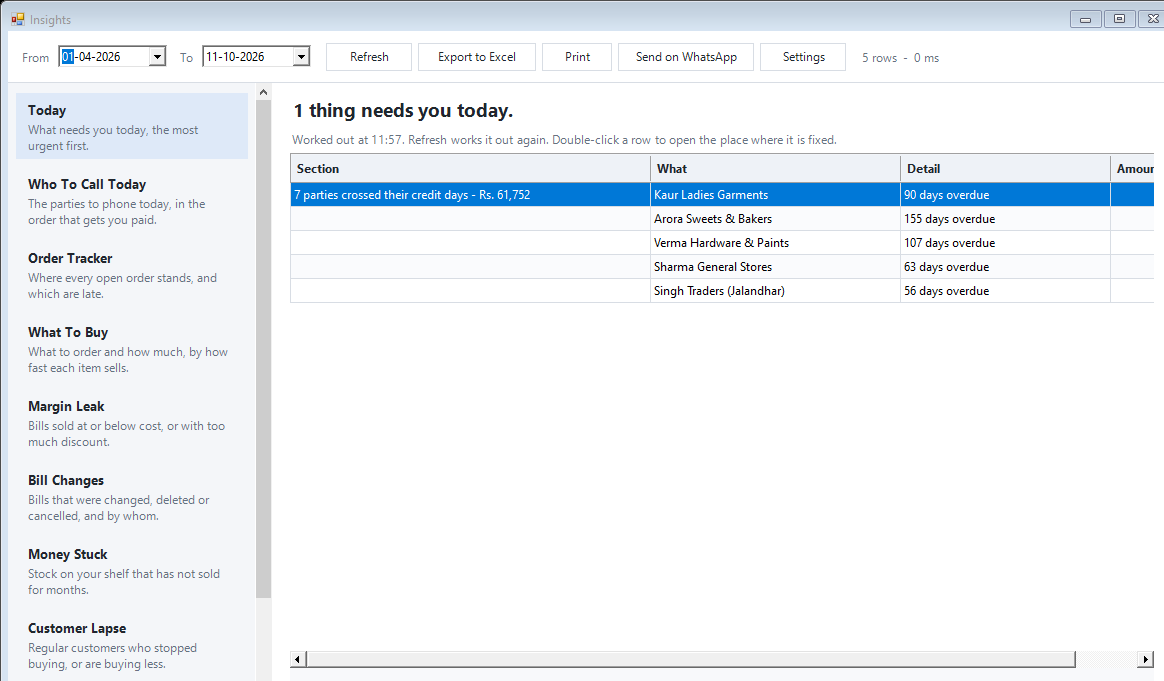
Today business insights
Know which issue deserves your attention first.
Read the guide →See it with a sample from your business.
Bring a sample bill or item list. We’ll show you the steps and answer your questions.