Know whether a bill is saved or still waiting.
Understand the difference between a saved bill, a bill waiting for the shop PC, and a bill stored on an offline device.
Check the connection message before billing
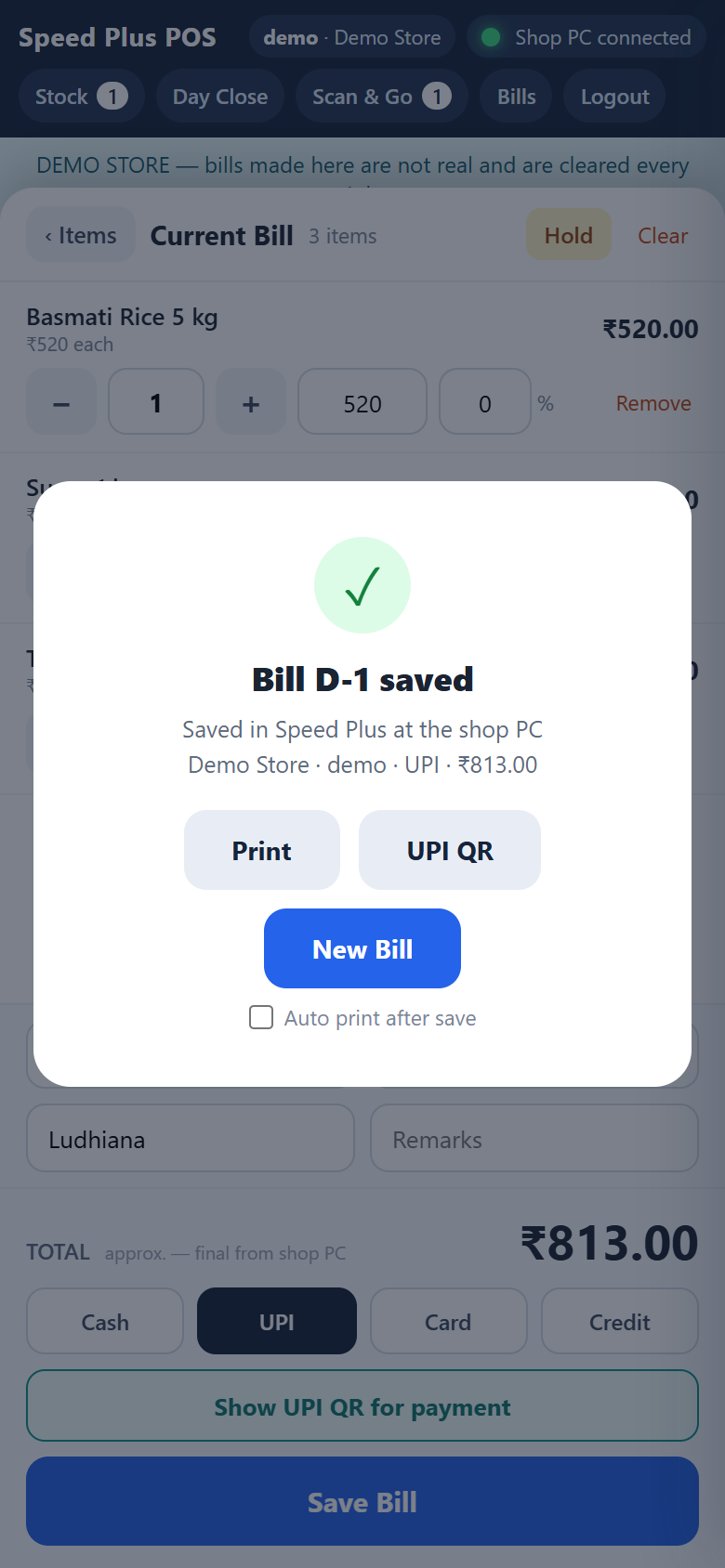
Read the result shown after Save Bill
Review My Bills until the final saved number appears
See the screens behind the workflow.
Real screens from the Speed Plus 9 manual. Open any image to inspect the details.
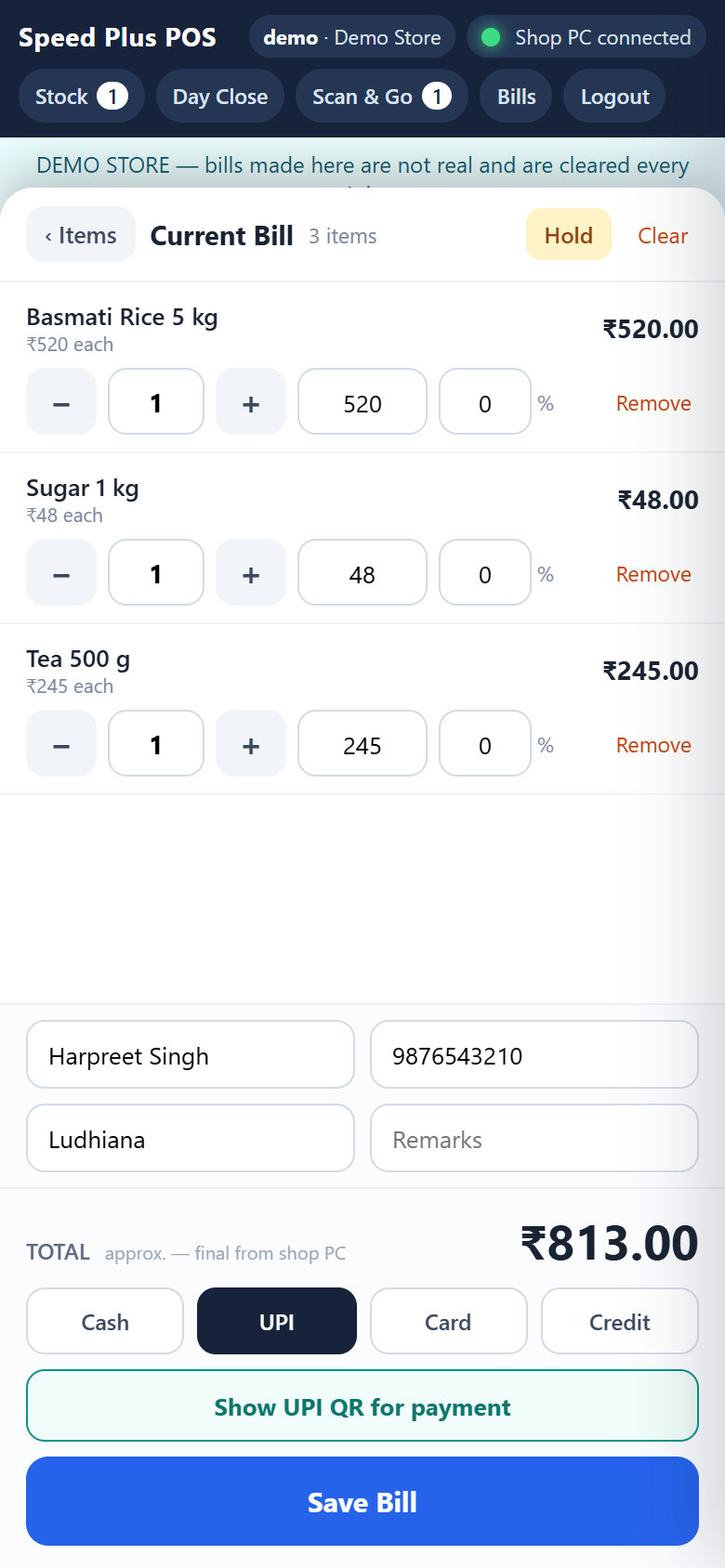 View full size ↗
02Recognise the saved bill confirmation+
 View full size ↗
What to check on screen
Follow the steps in the matching product screen. Offline billing needs the device’s saved data. Do not clear browser storage or switch devices while bills remain unsent. Cached prices can be older than the latest head-office rates.
Know whether a bill is saved or still waiting.
When the shop PC is running and connected, Speed Plus saves the Web POS bill and returns its final number. If the shop PC is off, the server can hold the bill in a queue. A W reference means it is waiting, not that the final accounting entry is complete.
If the billing device loses internet, the documented offline mode uses its saved item list and stores the bill on that device. Keep the same browser data until the bill is sent. Use My Bills and Sync & Import Health to review waiting or failed entries once the connection returns.
How to use it.
Know whether a bill is saved or still waiting.
- 01
Check the connection message before billing
- 02
Read the result shown after Save Bill
- 03
Review My Bills until the final saved number appears
What this looks like in your business.
A counter receives a W reference while the head-office PC is off. When Speed Plus opens again, the team checks that the bill has a final saved number before treating the import as complete.
See the workflow in action.
PC Off or Internet Down? What Happens to Your Bills? | Speed Plus 9 Web POS | www.solversolutions.in
SolverTeam tutorial for this topic. Screens and options can vary by installed version.
Open on YouTube ↗Good questions.
Clear answers.
Choose the workflow that fits your business and confirm its setup in a demonstration.
Is Queued the same as Saved?
No. Queued means the bill is waiting to reach the shop’s books. Saved shows the final bill number returned by Speed Plus.
What setup should I confirm?
Offline billing needs the device’s saved data. Do not clear browser storage or switch devices while bills remain unsent. Cached prices can be older than the latest head-office rates.
What else can help?
Farata mobile orders
Collect the order where the conversation happens.
Read the guide →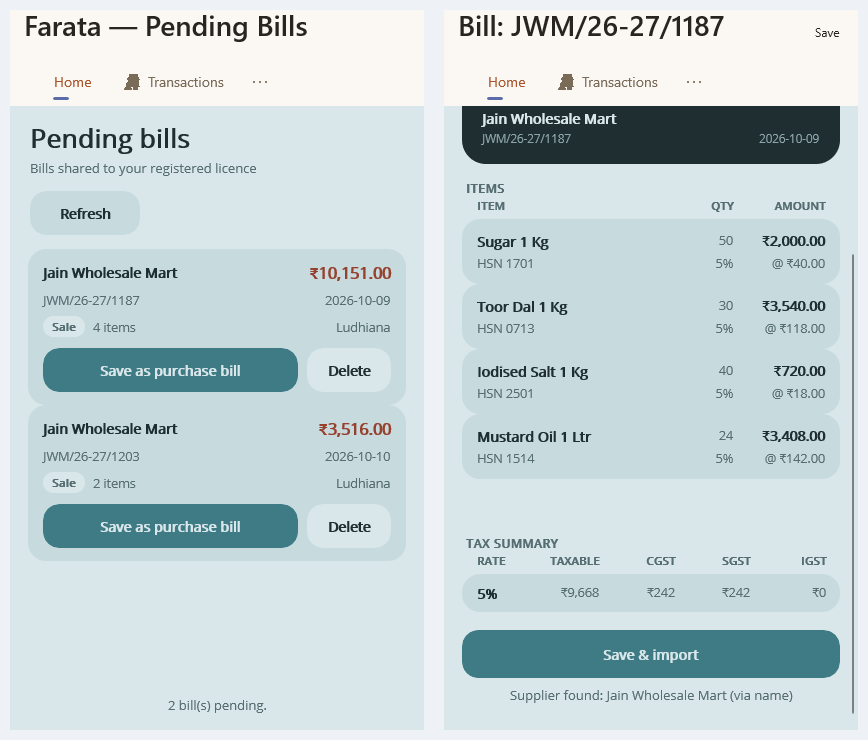
Farata bills and stock sync
Keep received bills close to the mobile workflow.
Read the guide →
Farata mobile print and share
Share a mobile document with a clear purpose.
Read the guide →See it with a sample from your business.
Bring a sample bill or item list. We’ll show you the steps and answer your questions.