Give the kitchen the order it needs.
Use kitchen order tickets to communicate selected items to the preparation team. Review table, quantity and instructions before routing the ticket.
Confirmed order lines
Kitchen ticket and reference
Preparation instruction
See the screens behind the workflow.
Real screens from the Speed Plus 9 manual. Open any image to inspect the details.
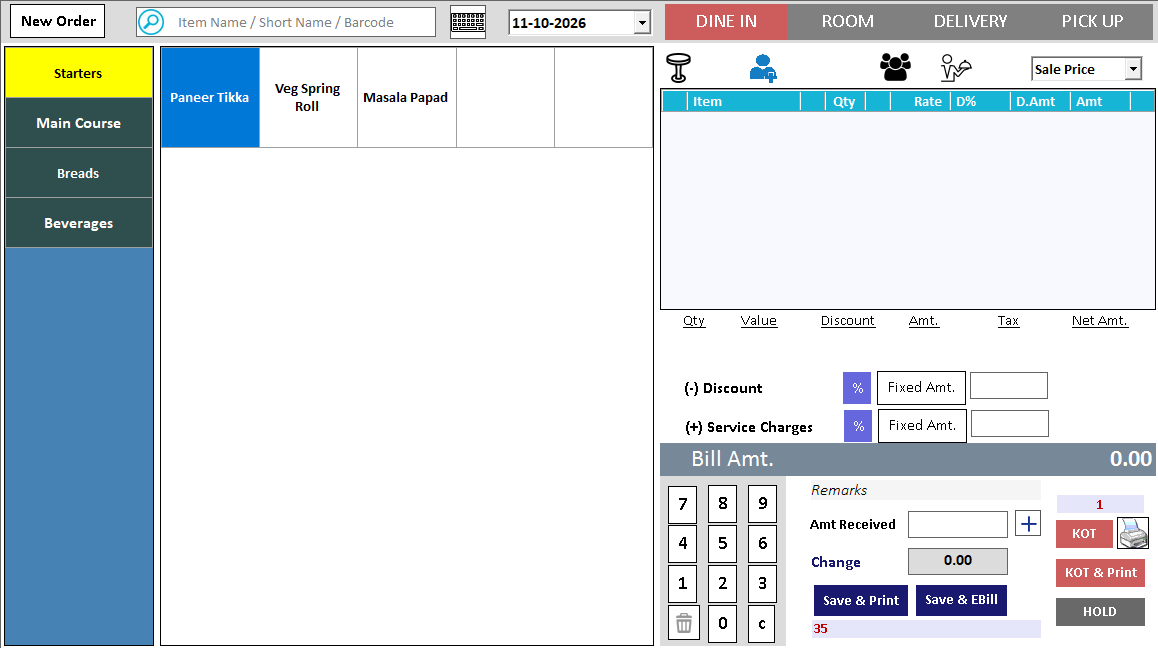 View full size ↗
02Keep portion and preparation notes with the order+
 View full size ↗
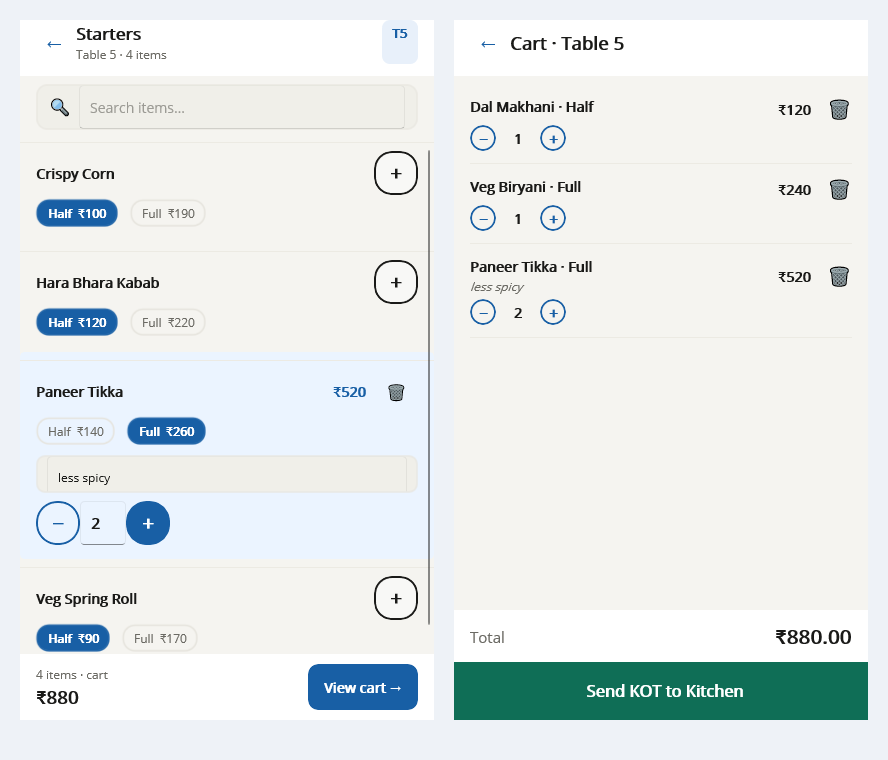
A portion and a preparation note belong with the order.
The Tablio menu example shows Half and Full choices, a note such as less spicy, and a cart with Send KOT to Kitchen. Desktop Touch KOT provides the counter-side ordering view. Check what the kitchen receives from the chosen entry route, especially after a later addition.
The kitchen needs the order, not the accounts summary.
A Kitchen Order Ticket communicates what needs preparation, with quantities and a table or order reference. It belongs to the service workflow before final settlement. A clear KOT reduces the need for the kitchen to interpret a customer bill or rely on a verbal message.
Take and review the order, then send it through the configured kitchen output. Test an additional item and a correction so staff understand what reaches the kitchen after the first ticket. Keep the order reference visible when discussing a delay or duplicate.
How to use it.
Give the kitchen the order it needs.
- 01
Select the table or order
- 02
Enter items and supported preparation notes
- 03
Send the KOT through the configured kitchen route
What this looks like in your business.
A table orders two dishes and adds another later. Staff review the new order lines before sending the next ticket.
See the workflow in action.
Restaurant Orders Without Shouting: Waiter Phone + Kitchen Screen + Owner PC | Tablio
SolverTeam tutorial for this topic. Screens and options can vary by installed version.
Open on YouTube ↗Good questions.
Clear answers.
Choose the workflow that fits your business and confirm its setup in a demonstration.
Does a KOT mean the customer has been billed?
No. It instructs preparation. Final billing and payment happen through their own workflow after checking the served order, adjustments and settlement.
What setup should I confirm?
Kitchen printer routing and handling of changed/cancelled lines depend on setup; demonstrate these cases before rollout.
Take an order from table to payment
Follow the service journey across the table, kitchen and billing counter.
- 01Restaurant table managementRead guide →
- 02Restaurant menu variantsRead guide →
- 03Restaurant KOTYou are here
- 04Kitchen displayRead guide →
- 05Restaurant billing and paymentsRead guide →
What else can help?
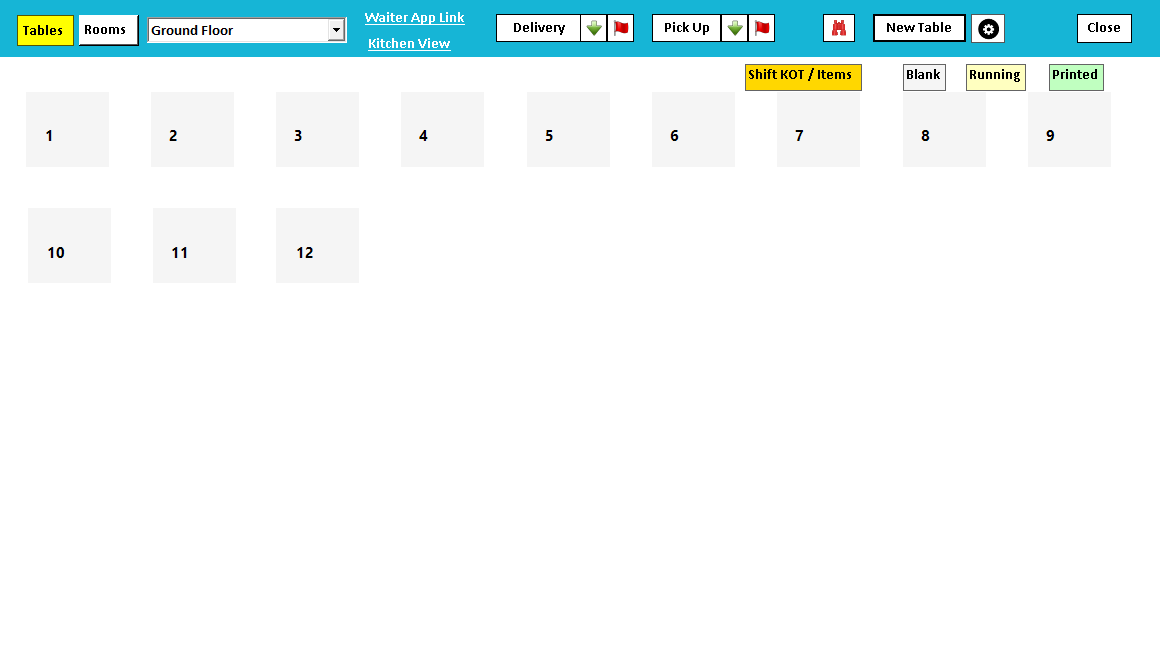
Restaurant table management
Keep the restaurant floor understandable.
Read the guide →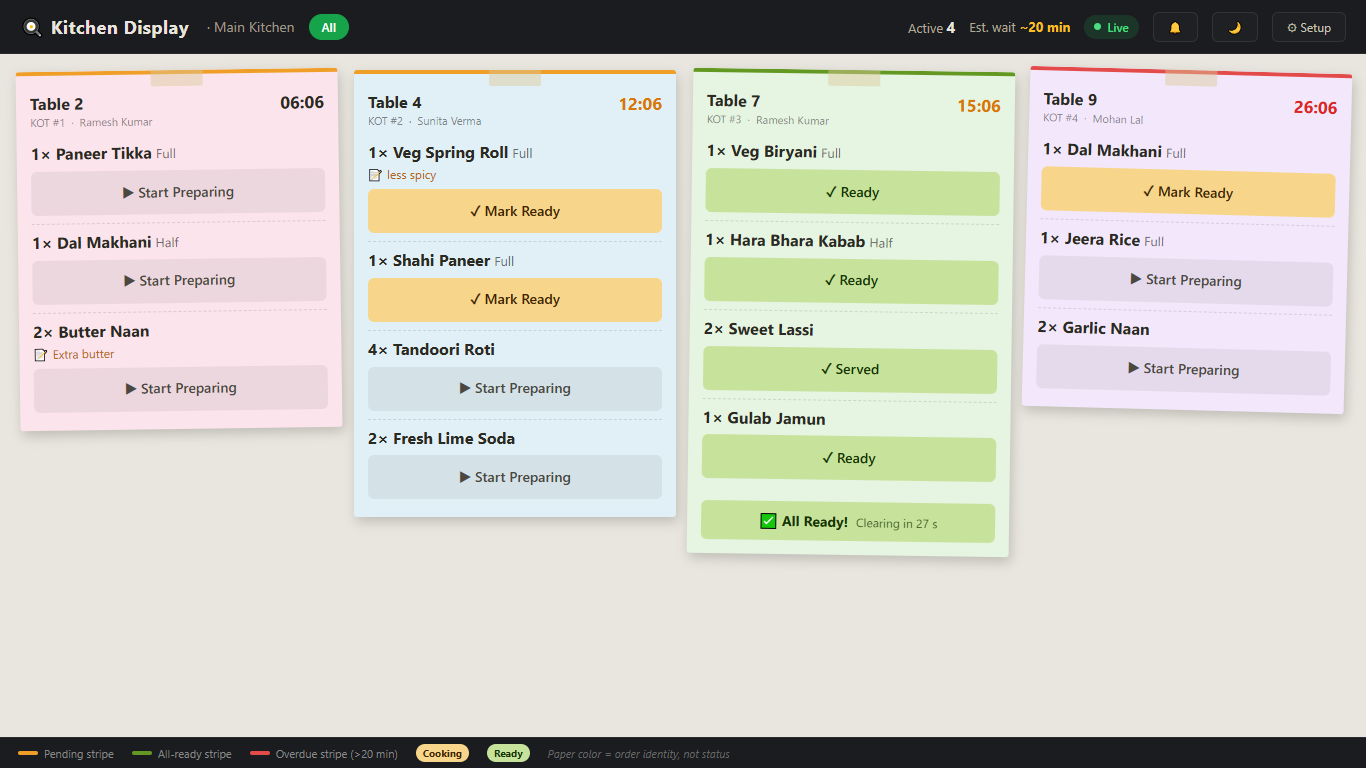
Kitchen display
Bring kitchen orders onto a shared display.
Read the guide →Restaurant menu variants
Make the menu easy to order correctly.
Read the guide →See it with a sample from your business.
Bring a sample bill or item list. We’ll show you the steps and answer your questions.