Know which issue deserves your attention first.
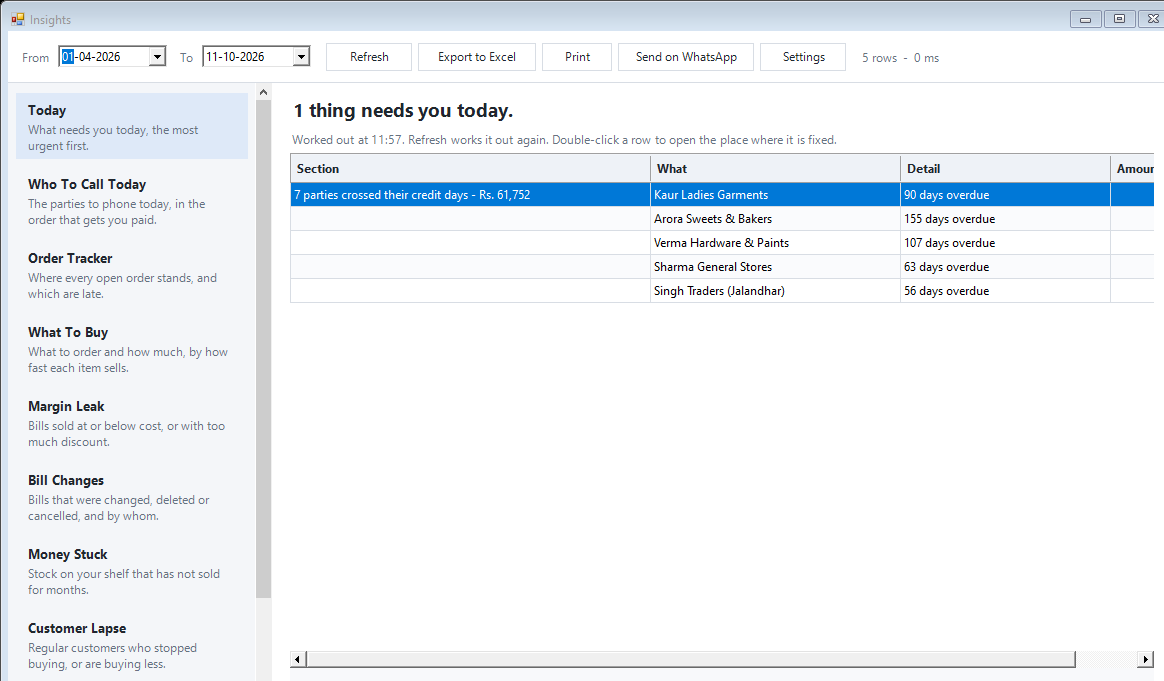
Today gathers actionable exceptions into a readable list, with detail and amount alongside the issue.
Read the Today headline and exception blocks
Open the most relevant row in its source report
Investigate the record and refresh after correction
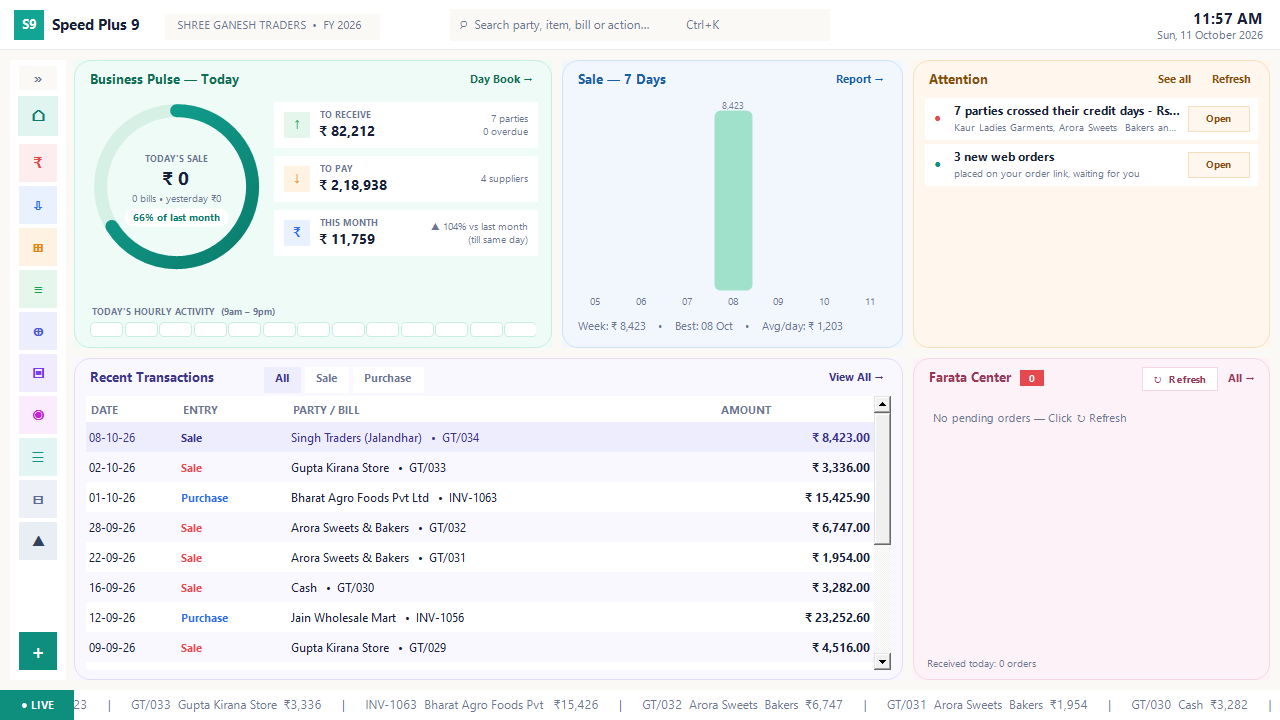
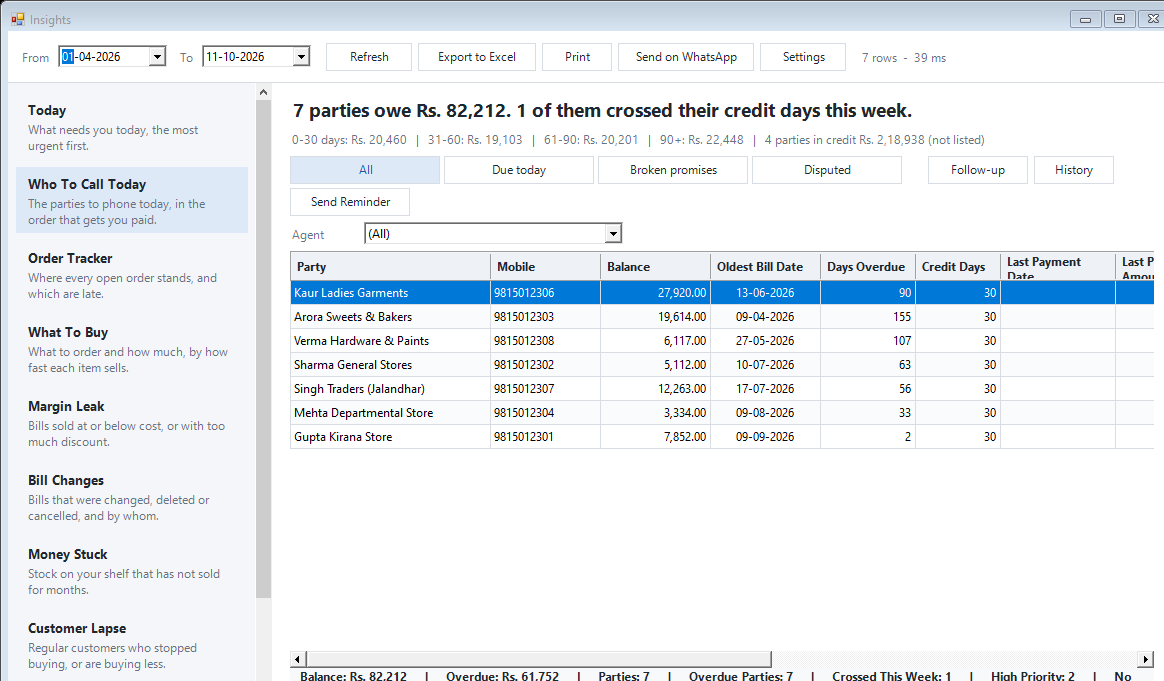
See the screens behind the workflow.
Real screens from the Speed Plus 9 manual. Open any image to inspect the details.
 View full size ↗
Where this fits in your working day.
The Speed Plus 9 manual describes this workflow in section 35.2. The current chapter documents the expanded Insights workflows for version 261007 and later; confirm the installed version and relevant permissions.
Know which issue deserves your attention first.
A list of sales totals tells you what happened; Today helps you decide what to investigate. The manual describes blocks for overdue parties, delayed orders, stock and other exceptions. Relevant blocks appear according to the business data and installed version.
Open Reports → Insights Reports and read the Today headline. Double-click a row to reach the report or tab where the issue can be investigated. Refresh recalculates the view. A failed check is reported separately rather than being treated as an all-clear result.
How to use it.
Know which issue deserves your attention first.
- 01
Read the Today headline and exception blocks
- 02
Open the most relevant row in its source report
- 03
Investigate the record and refresh after correction
What this looks like in your business.
A negative-stock row prompts the owner to inspect the item’s movements. A missing purchase entry may explain the issue; changing the stock blindly would hide the underlying problem.
Good questions.
Clear answers.
Choose the workflow that fits your business and confirm its setup in a demonstration.
Does double-clicking go directly to the bill?
First it opens the relevant report or tab. Drill into the specific bill, stock record or party ledger from there.
What setup should I confirm?
Today highlights exceptions. It does not automatically correct stock, collect a payment or finish an order.
What else can help?
See it with a sample from your business.
Bring a sample bill or item list. We’ll show you the steps and answer your questions.