Plan the database around the working environment.
Use supported SQL Server integration where it fits the company's data and multi-user requirements. Plan installation, access and backups together.
Existing data or new company
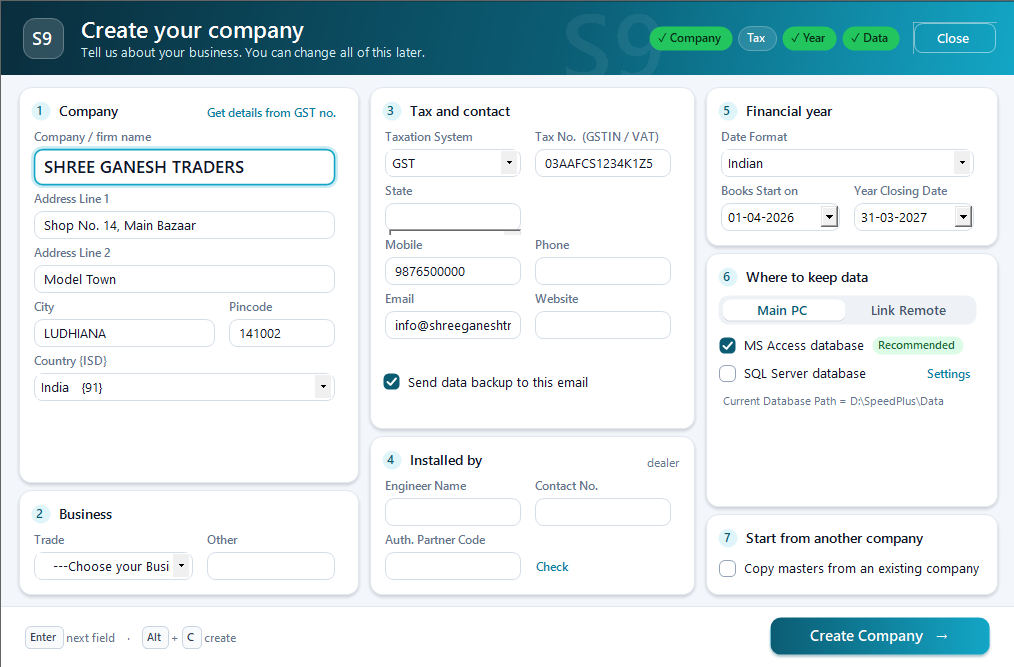
Configured SQL connection
Verified multi-user data access
The database is shared business infrastructure.
SQL Server stores the business records behind the supported Speed Plus installation. Its configuration affects how users connect to the data and how that data is maintained. Choosing or moving a database is therefore an implementation task, not simply changing a label in the interface.
Confirm the proposed server and connection setup with the implementation team. For migration, back up the source, test the conversion or transfer and compare representative documents, stock and account totals. Verify reports and printers from the actual user machines before making the new environment live.
How to use it.
Plan the database around the working environment.
- 01
Review the current database and intended users
- 02
Configure the supported SQL Server connection
- 03
Verify sample entries, reports and a recovery process
What this looks like in your business.
A business evaluating a multi-user installation asks the team to demonstrate a representative data set.
See the workflow in action.
Speed Plus 9.0: How to Create a Company with SQL Server Database as Backend.
SolverTeam tutorial for this topic. Screens and options can vary by installed version.
Open on YouTube ↗Good questions.
Clear answers.
Choose the workflow that fits your business and confirm its setup in a demonstration.
Does SQL automatically make every report faster?
Performance also depends on the data, report design, server, network and concurrent users. Test representative work on the proposed setup instead of relying on a universal speed claim.
What setup should I confirm?
SQL Server support is not a guaranteed speed claim. Results depend on hardware, data, network and configuration.
What else can help?
See it with a sample from your business.
Bring a sample bill or item list. We’ll show you the steps and answer your questions.