Turn a supplier bill into useful stock records.
Enter supplier, items, quantities and rates in the purchase workflow. A checked purchase entry provides the starting point for stock and supplier-account review.
Supplier document and goods
Reviewed purchase lines
Stock receipt and payable
See the screens behind the workflow.
Real screens from the Speed Plus 9 manual. Open any image to inspect the details.
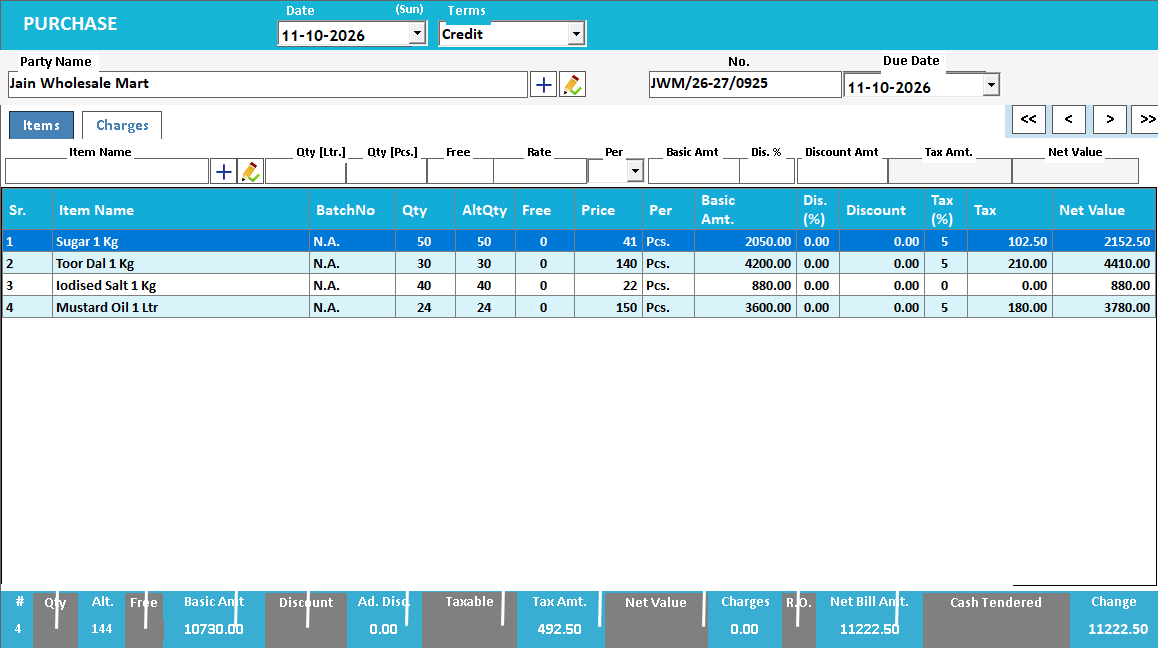 View full size ↗
Keep the supplier’s bill reference.
The purchase screen has a field for the supplier’s own invoice number. That reference is useful when the same document arrives through several channels. Match the received items and quantities, then inspect both purchase value and resulting stock before treating the entry as complete.
A purchase connects the supplier bill with the stock received.
A purchase entry records what came from a supplier, its value and the resulting amount payable. Correct item lines explain the incoming stock; the supplier account explains the financial obligation. A document can balance financially while still containing the wrong physical quantity or pack.
Select the supplier, enter its invoice reference and date, then review item mapping, units, quantity, rate and applicable charges. Match the bill with the actual receipt. After saving, inspect both the stock increase and the supplier ledger rather than checking only the purchase total.
How to use it.
Turn a supplier bill into useful stock records.
- 01
Choose the supplier and document reference
- 02
Enter items, quantities, prices and supported charges
- 03
Compare totals with the original bill before saving
What this looks like in your business.
A retailer receives a mixed carton and checks each line against the supplier invoice rather than entering only the bill total.
Good questions.
Clear answers.
Choose the workflow that fits your business and confirm its setup in a demonstration.
What if the bill quantity differs from the goods received?
Investigate the difference with the receiving team and supplier. Record the transaction through the agreed receipt, purchase and adjustment process; do not force the stock quantity to match the paper without resolving the physical discrepancy.
What setup should I confirm?
Check units, free quantities and tax treatment before saving; a correct grand total alone does not prove correct item mapping.
Bring a supplier bill into stock
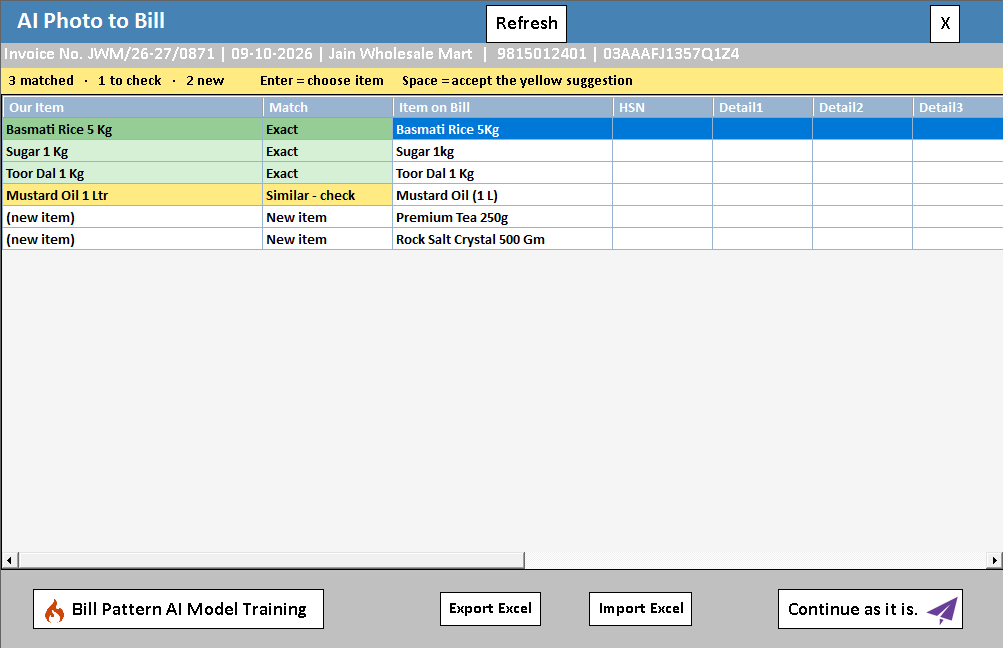
Understand the review that sits between a bill photo and your purchase records.
- 01AI photo bill importRead guide →
- 02Purchase entryYou are here
- 03Batch trackingRead guide →
- 04Stock verification and journalsRead guide →
What else can help?
See it with a sample from your business.
Bring a sample bill or item list. We’ll show you the steps and answer your questions.