Keep payment instructions and cheque output consistent.
Maintain the relevant bank details for supported documents and configure cheque printing where required. Review the payee and amount before printing.
Bank and payee details
Checked document layout
Payment reference for review
See the screens behind the workflow.
Real screens from the Speed Plus 9 manual. Open any image to inspect the details.
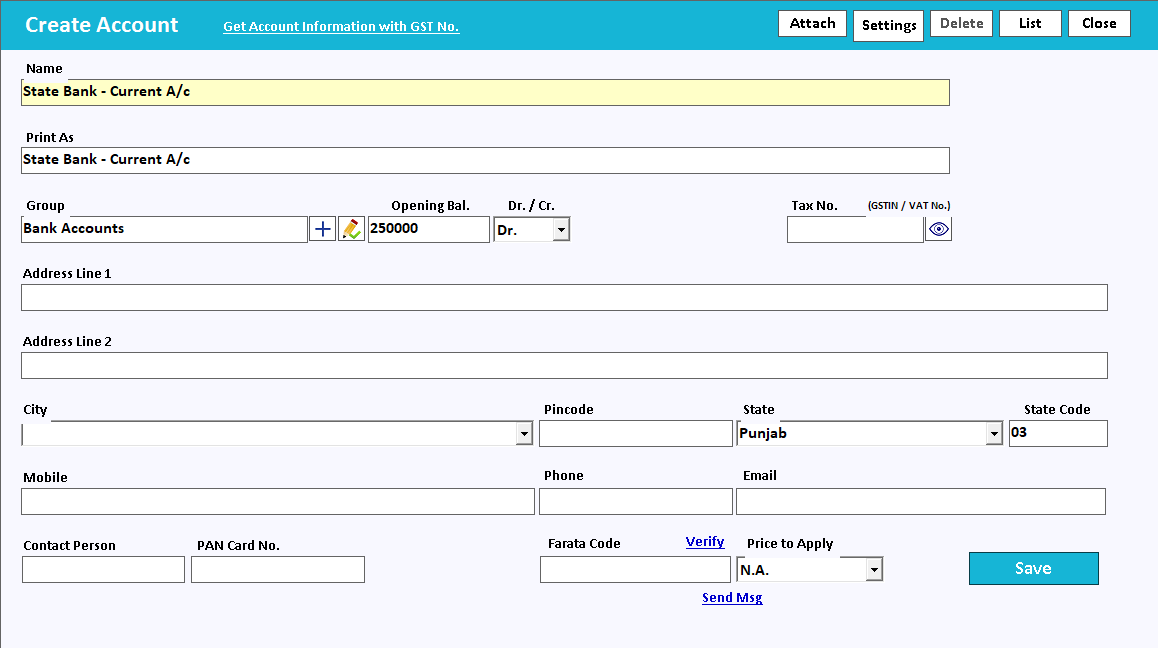 View full size ↗
02Keep a bank entry traceable+
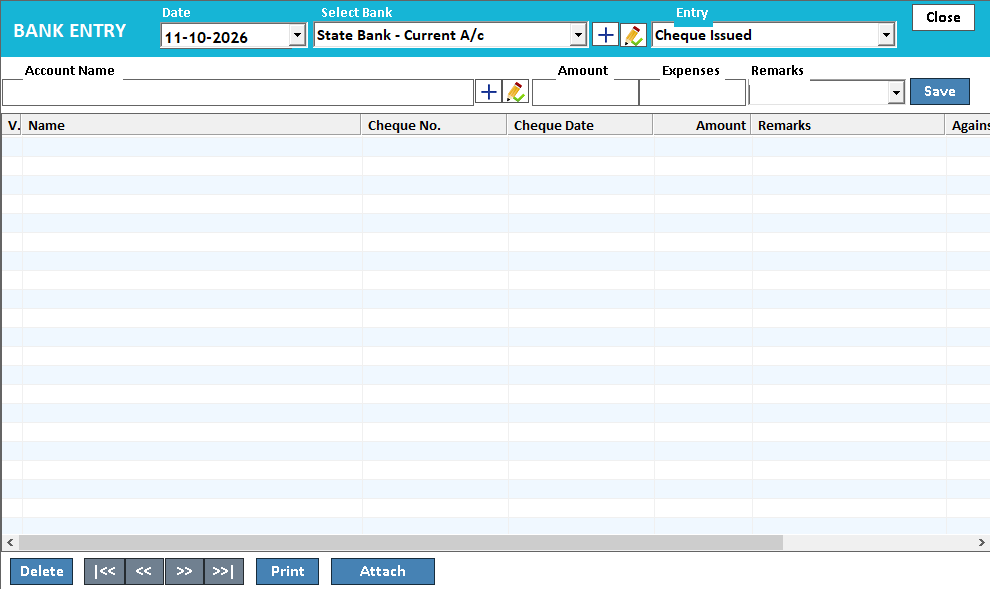 View full size ↗
Bank details, cheque output and bank entries serve different purposes.
Bank details on a document tell the customer where to pay. A cheque layout presents payment instructions in the positions required by the cheque leaf. The accounting entry records the payment in the books. These related tasks should agree without being mistaken for one another.
Prepare the correct bank account and payee information, select the supported print layout and test alignment before using a cheque leaf. Review amount, date and wording carefully. Keep the corresponding payment reference so the printed document can be traced to the account entry.
How to use it.
Keep payment instructions and cheque output consistent.
- 01
Enter and verify the intended bank information
- 02
Configure the supported document or cheque layout
- 03
Preview and test alignment before using live stationery
What this looks like in your business.
An accounts clerk prints a cheque using a layout matched to the business cheque book.
Good questions.
Clear answers.
Choose the workflow that fits your business and confirm its setup in a demonstration.
Can I reuse a cheque layout for another bank?
Only after checking the positions and requirements of that bank’s cheque format. Small differences in alignment matter, so test the proposed layout and confirm the supported configuration.
What setup should I confirm?
Test on plain paper first. Cheque dimensions and printer alignment vary by bank and device.
What else can help?
See it with a sample from your business.
Bring a sample bill or item list. We’ll show you the steps and answer your questions.